Apple ran hundreds of weekly tests through software it didn't control. I designed the replacement as the only designer.
Truth Serum is Apple's internal A/B and multivariate testing platform. The existing third-party tool exposed a global storefront to security and approval risks. One unapproved offer could cost millions. Apple brought me in during 2014 to design the in-house replacement. I set the product direction, wrote the requirements, and carried the design to build as the sole designer.
- Client
- Apple
- Role
- Lead UX and acting Product Manager, solo
- Scope
- Internal A/B + multivariate platform, 4 device classes
- Timeline
- Started 2014, launched internally 2015 to 2016
Apple needed to own the system behind its experiments.
Marketing teams ran hundreds of A/B and multivariate tests each week through third-party software. That created security risk, unclear ownership, and extra training. Apple wanted the work brought in-house and tied to its own permission system.
- 01Testing lived on third-party software, a security risk on a global storefront where an unapproved offer could cost millions.
- 02No clear ownership: work fell through the cracks because no one knew who owned a given task.
- 03Hundreds of tests a week, with no single place to see what was running, where, and for how long.
- 04One designer, no team, and project secrecy that cut off normal research resources.
Three moves shaped the system.
I worked directly with the marketers who would use it.
Secrecy limited formal research, but the users sat beside me. Truth Serum was internal, and I was embedded with its marketing team. I built requirements with them one on one, checked personas against working testers, and compared the flows with Adobe Test & Target and Optimizely.

I tied access and approval to Apple's own systems.
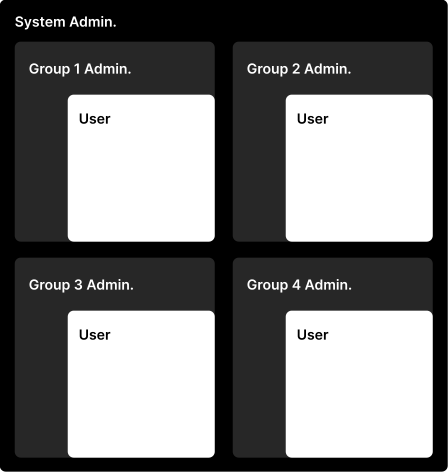
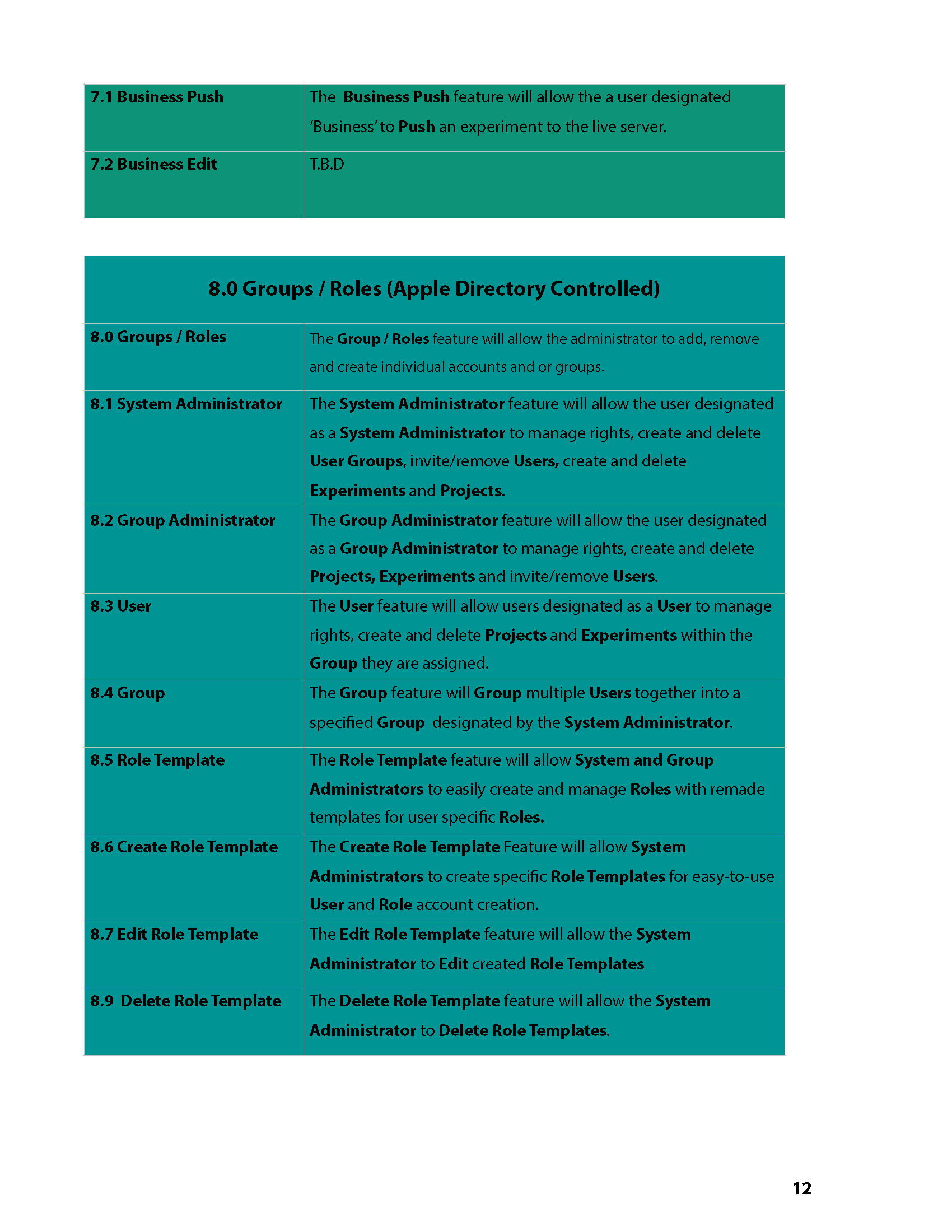
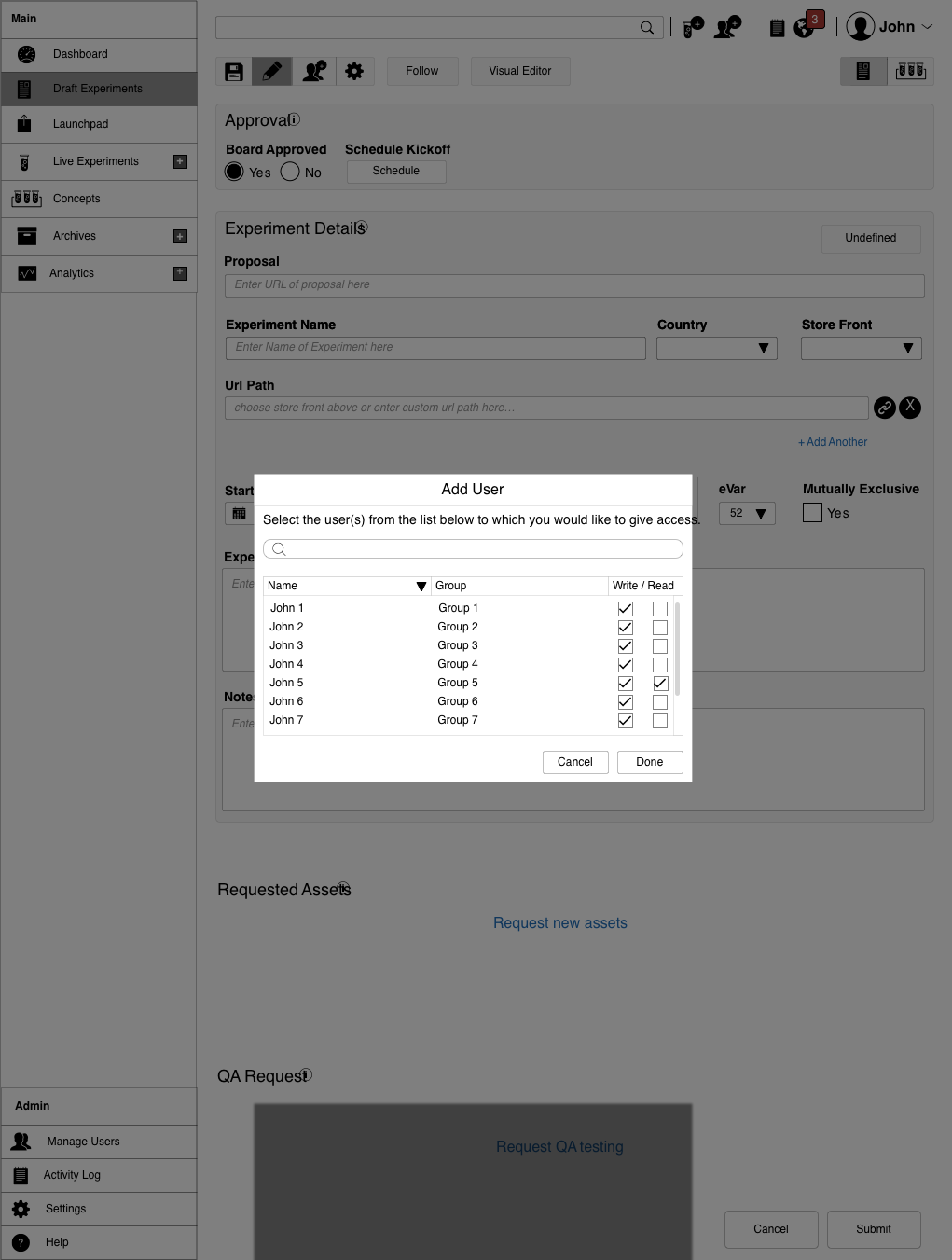
The security problem had to be solved in the workflow. Access ran through Apple Directory, giving managers control over roles and making ownership traceable. Approval gates then stopped an experiment from going live until the required steps were cleared.
I designed a visual editor for non-technical testers.
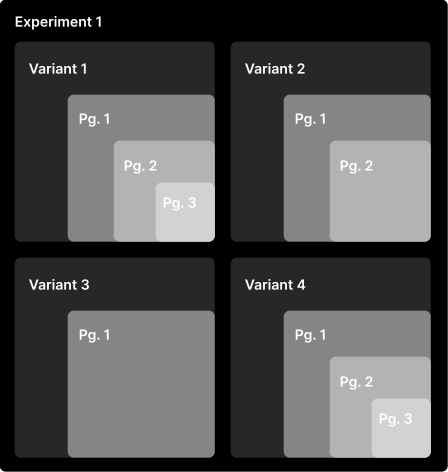
Authoring was the hardest part of the product. The WYSIWYG editor let an experiment contain several variants and each variant contain several pages, without asking a marketer to write code. Audience rules could be set as narrowly as a single IP address to support market-specific tests.
The rest of the product grew from those decisions.
I designed the requirements, structure, navigation, dashboard, drafts, experiment setup, offers, audiences, traffic controls, and editor. The walkthrough below follows that system.
How the testing works.
A/B and multivariate testing compares versions of a page or offer and measures which performs best. Truth Serum had to make that loop, control, variation, plan, read, launch, obvious to a non-technical marketer.

Requirements from a blank page.
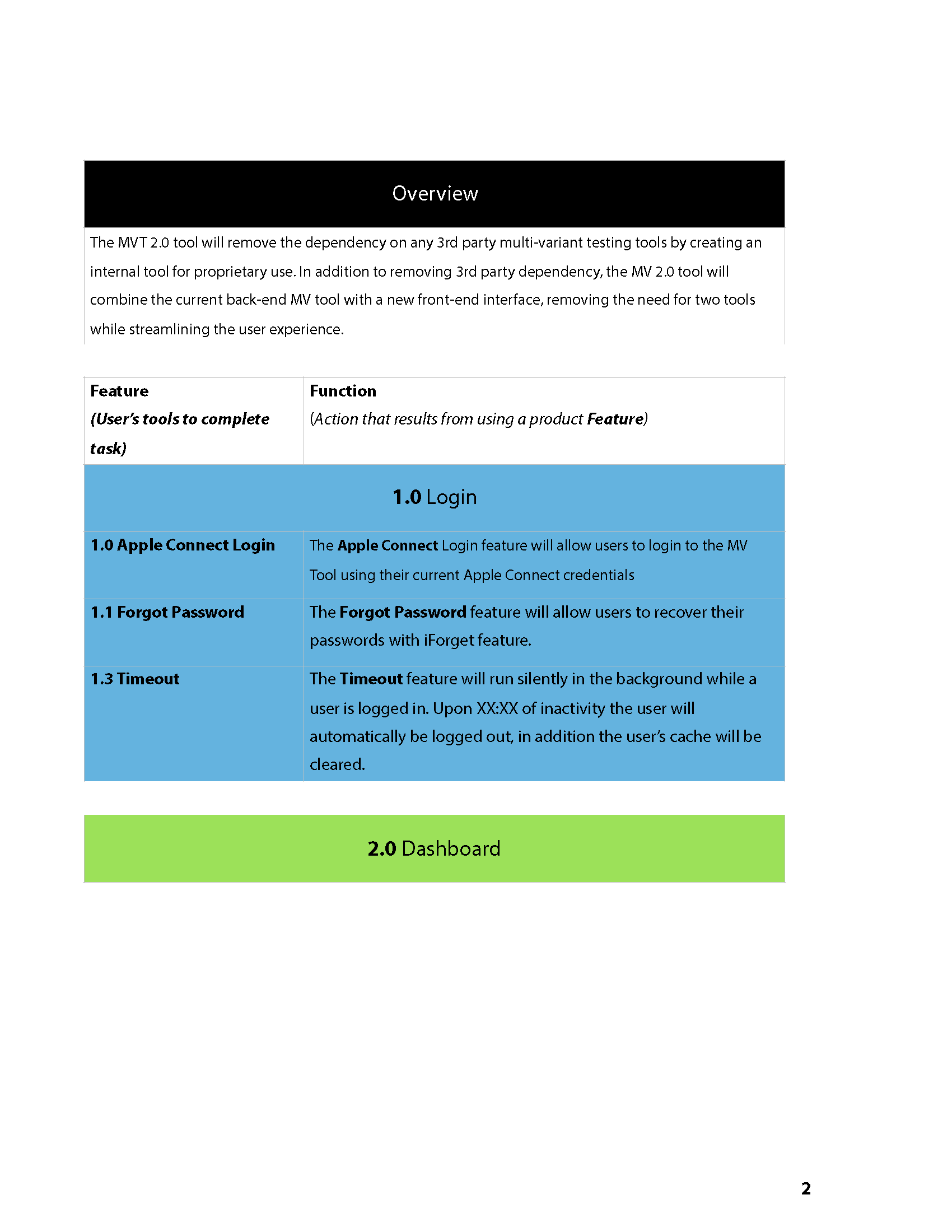
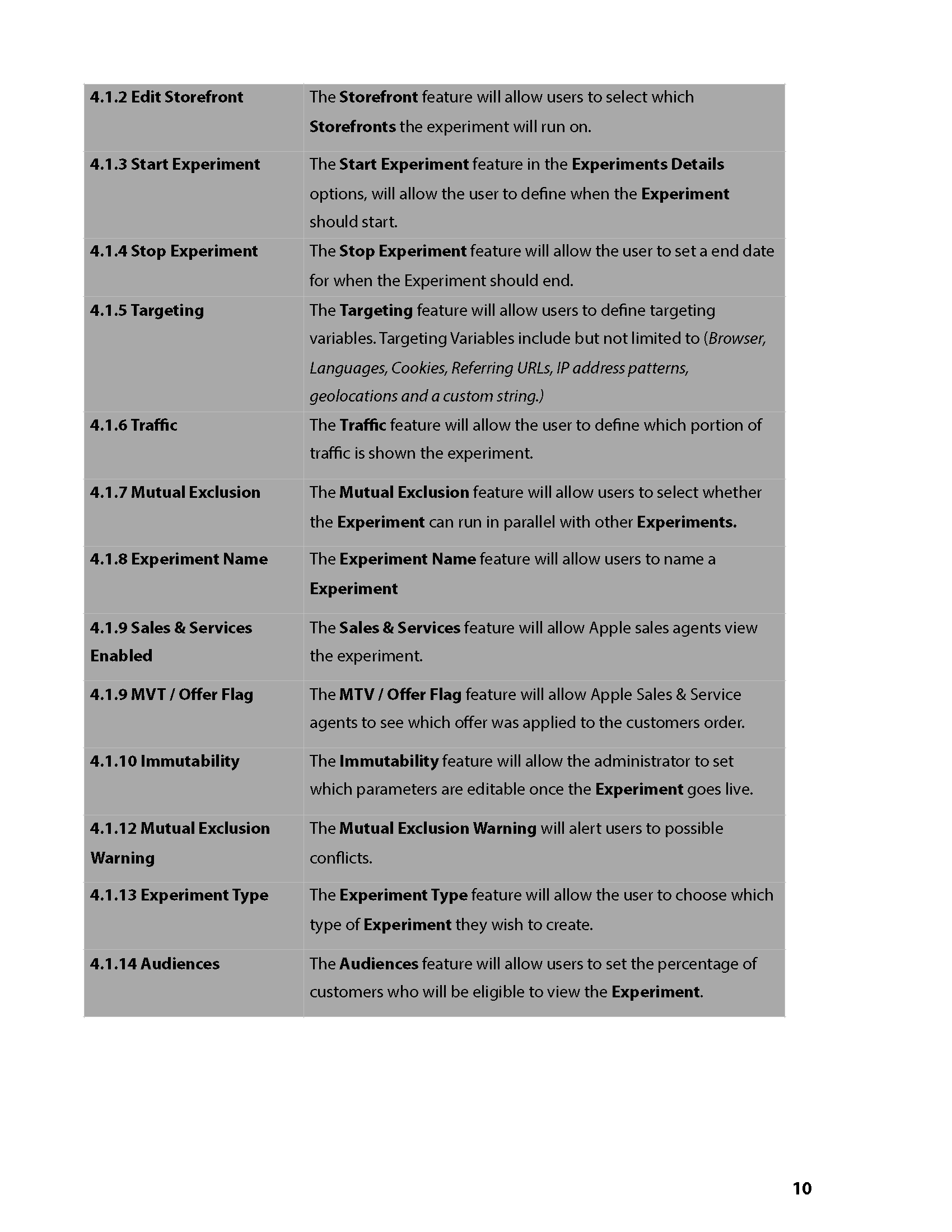
Starting an application from scratch, I began with notes and constraints, then turned them into a requirements document, written one on one with the marketing team through whiteboarding, competitor review, and workshops.
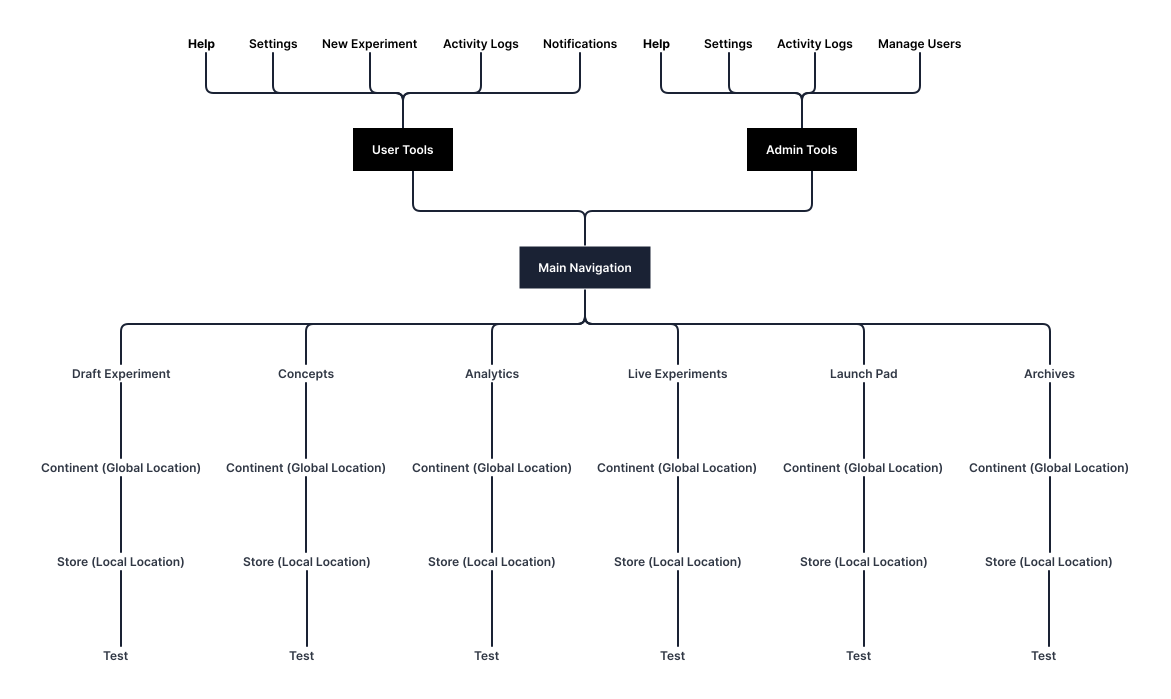
One map to hold it together.
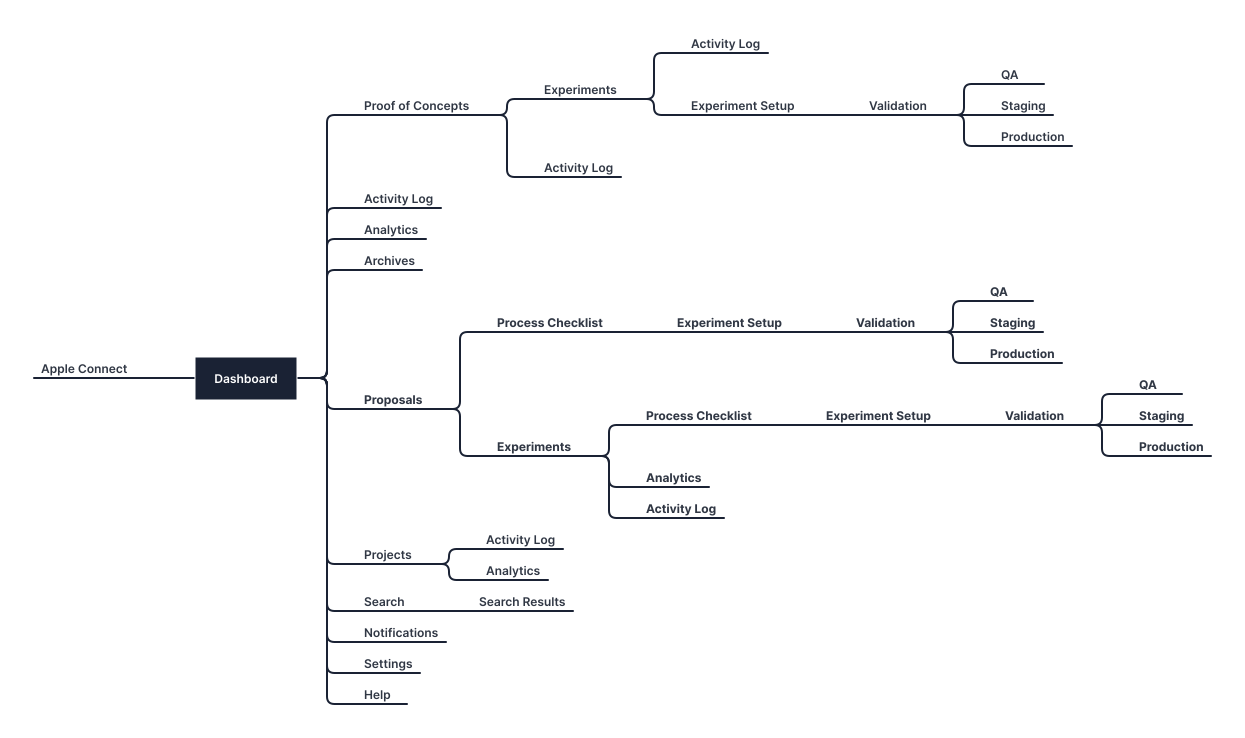
A sitemap let me see how big the system could get and how each section related, before drawing a single screen.
Navigation by role.
Test type and location drove the structure. Because access was role-based, the back end enforced a clear separation of tools and roles, while the front end never revealed to a user that they were seeing only part of the application.
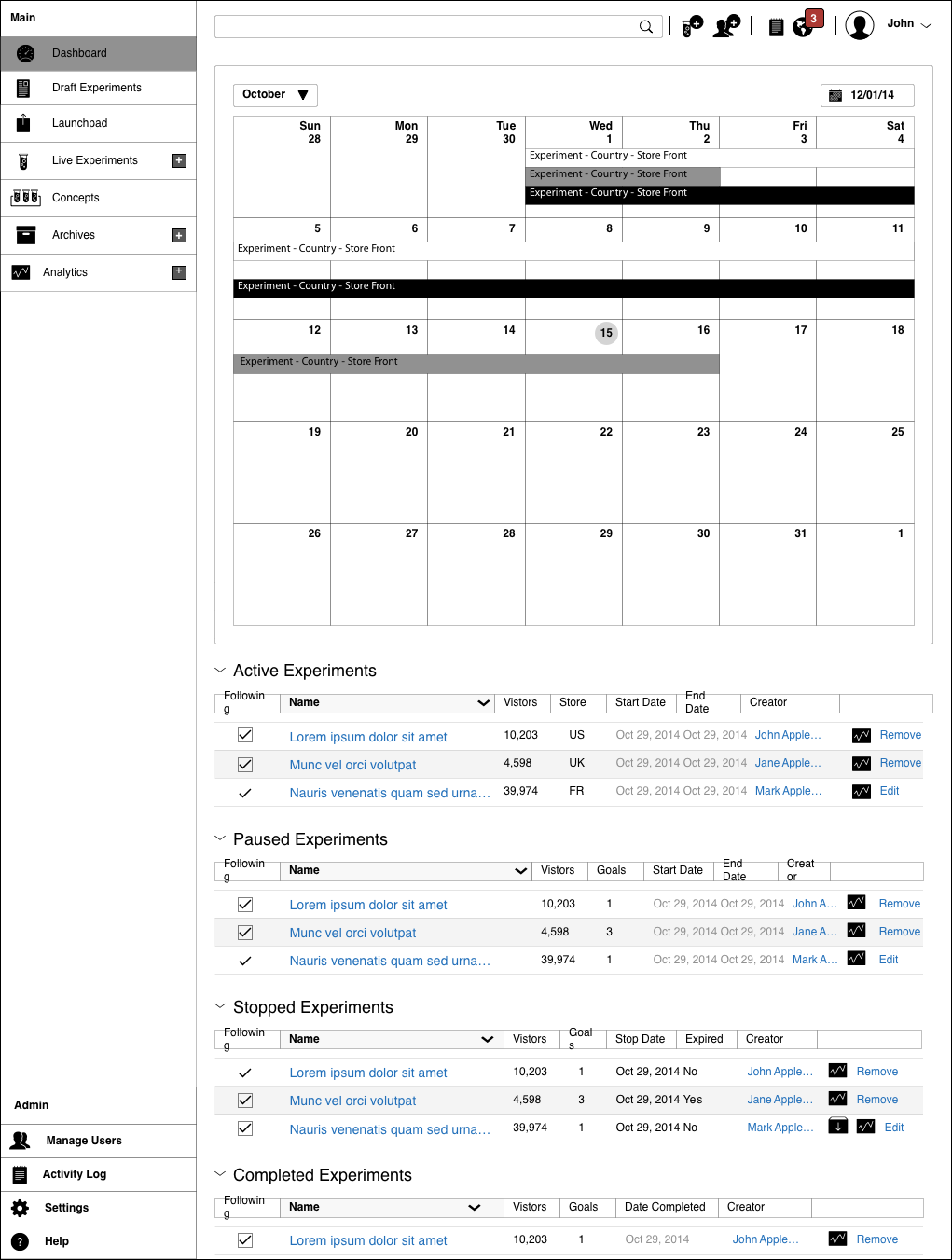
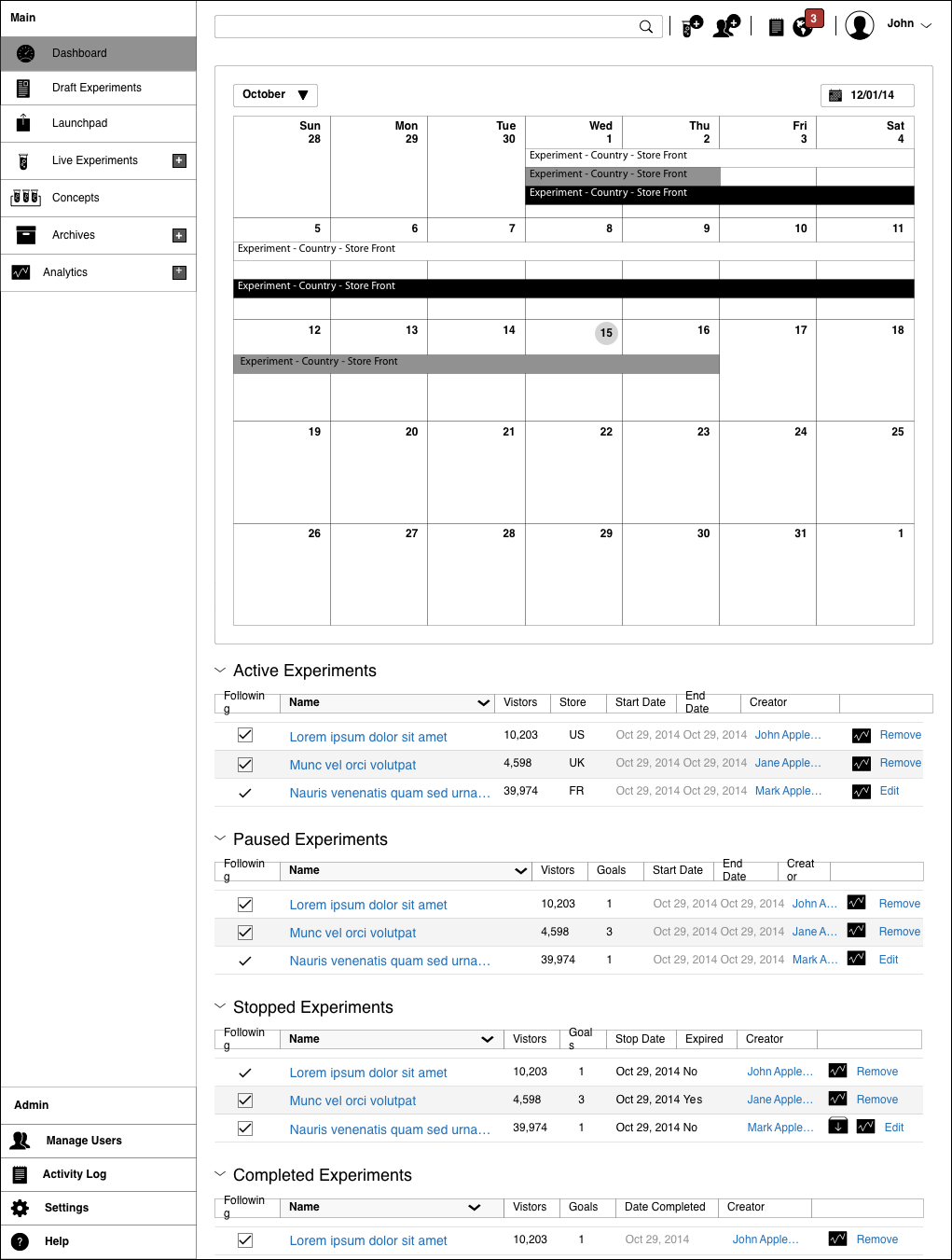
A dashboard that answers 'what's running'.
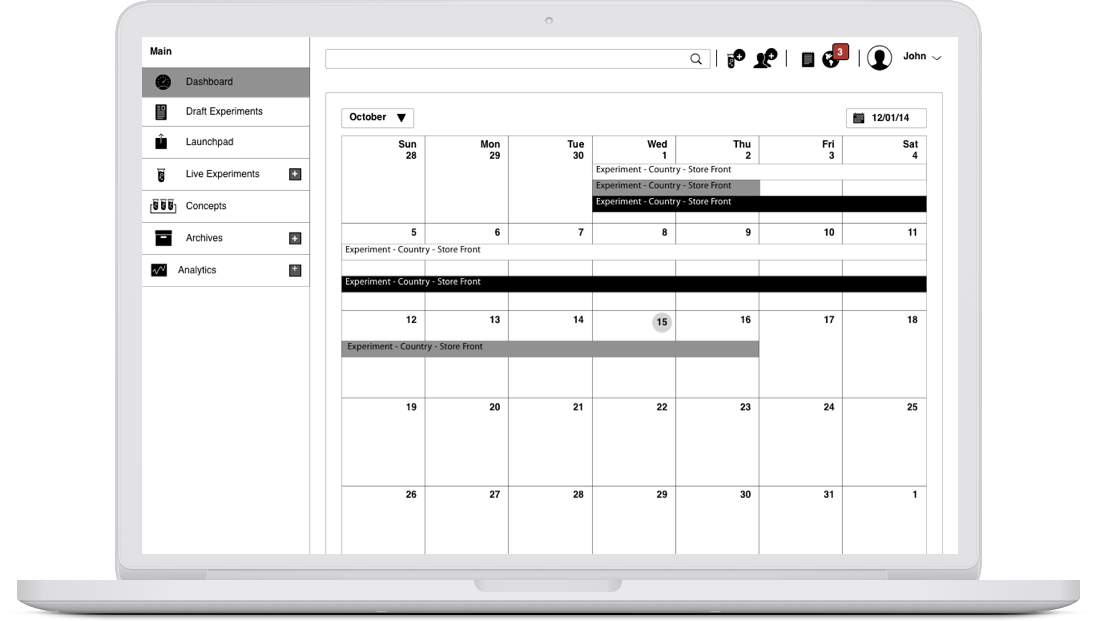
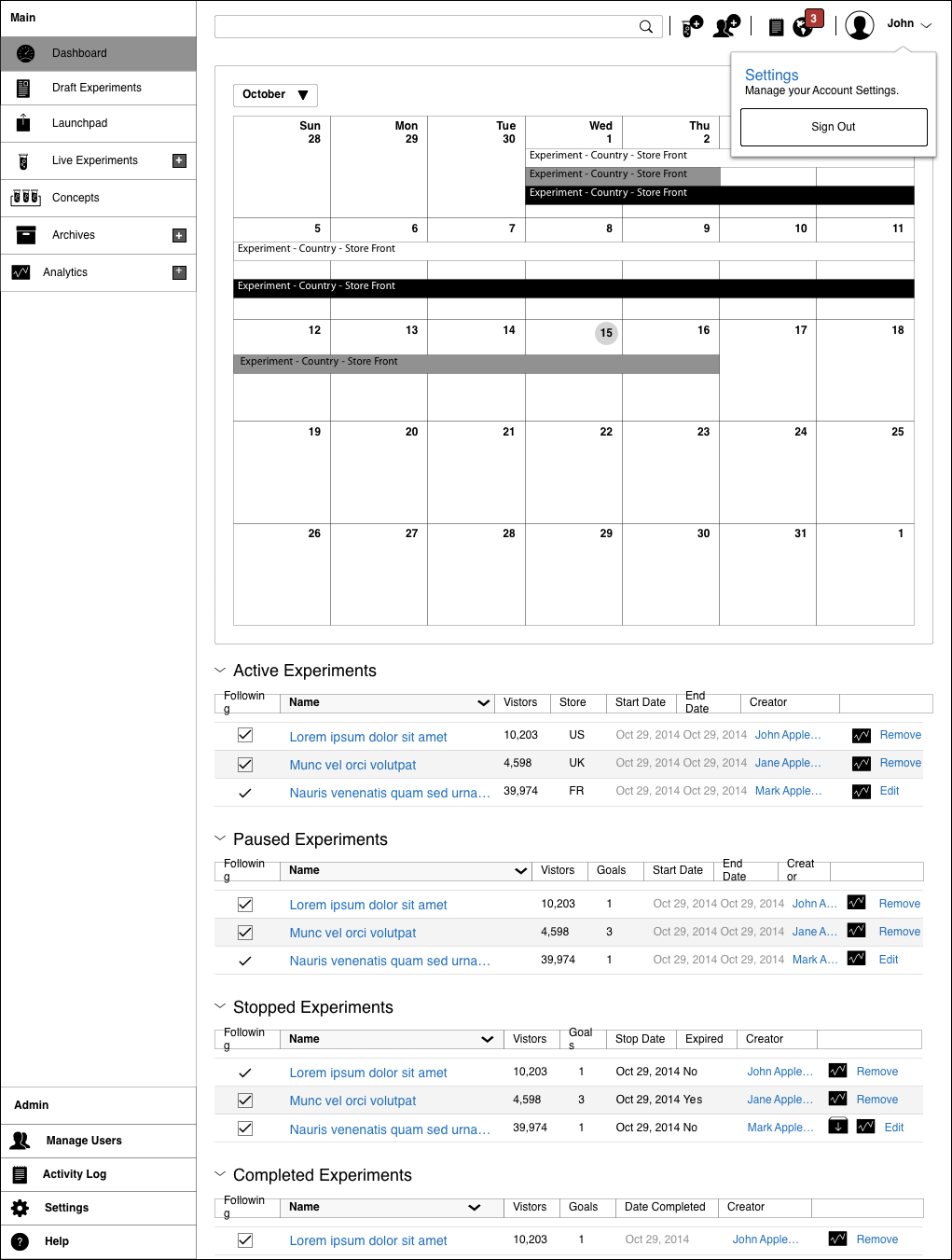
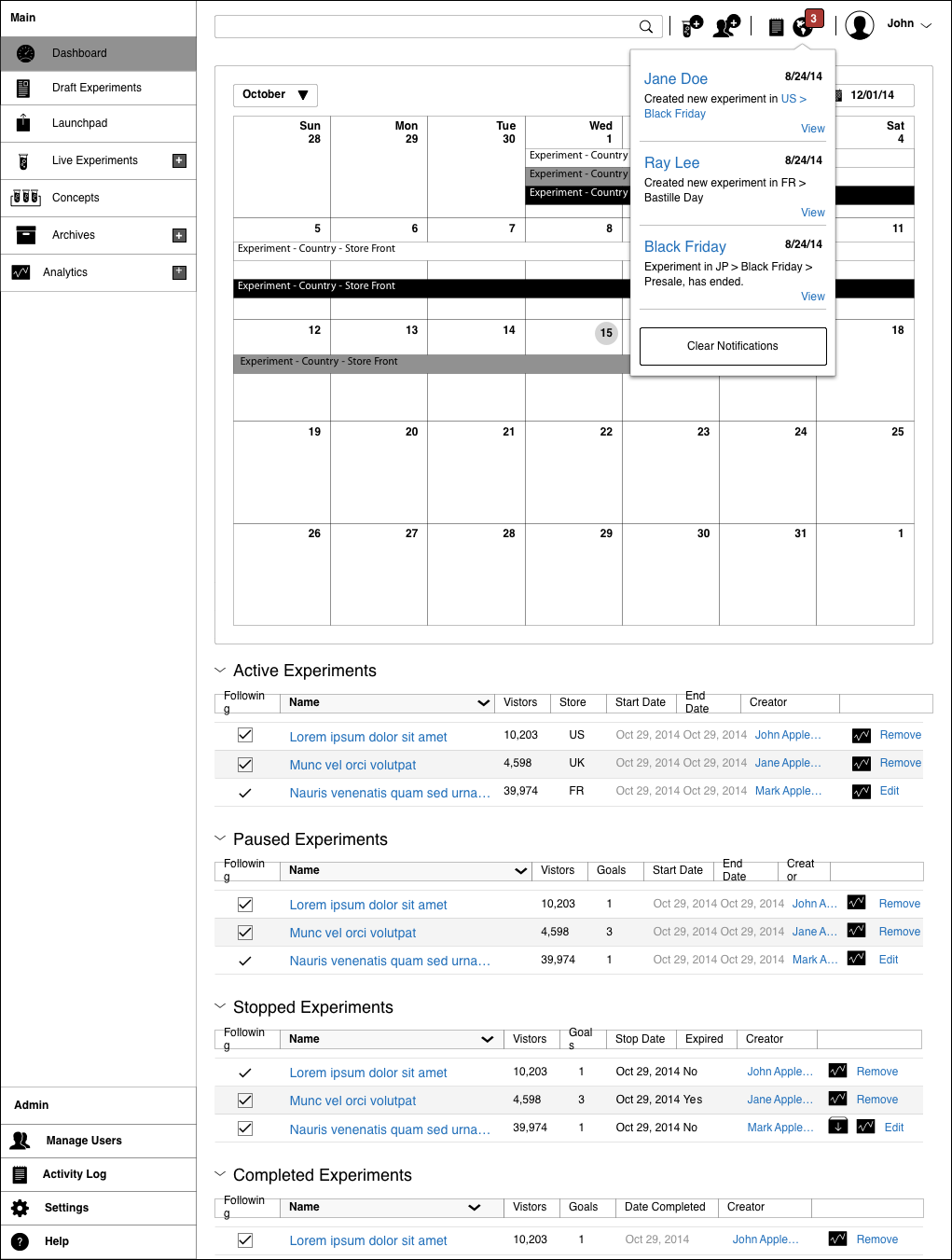
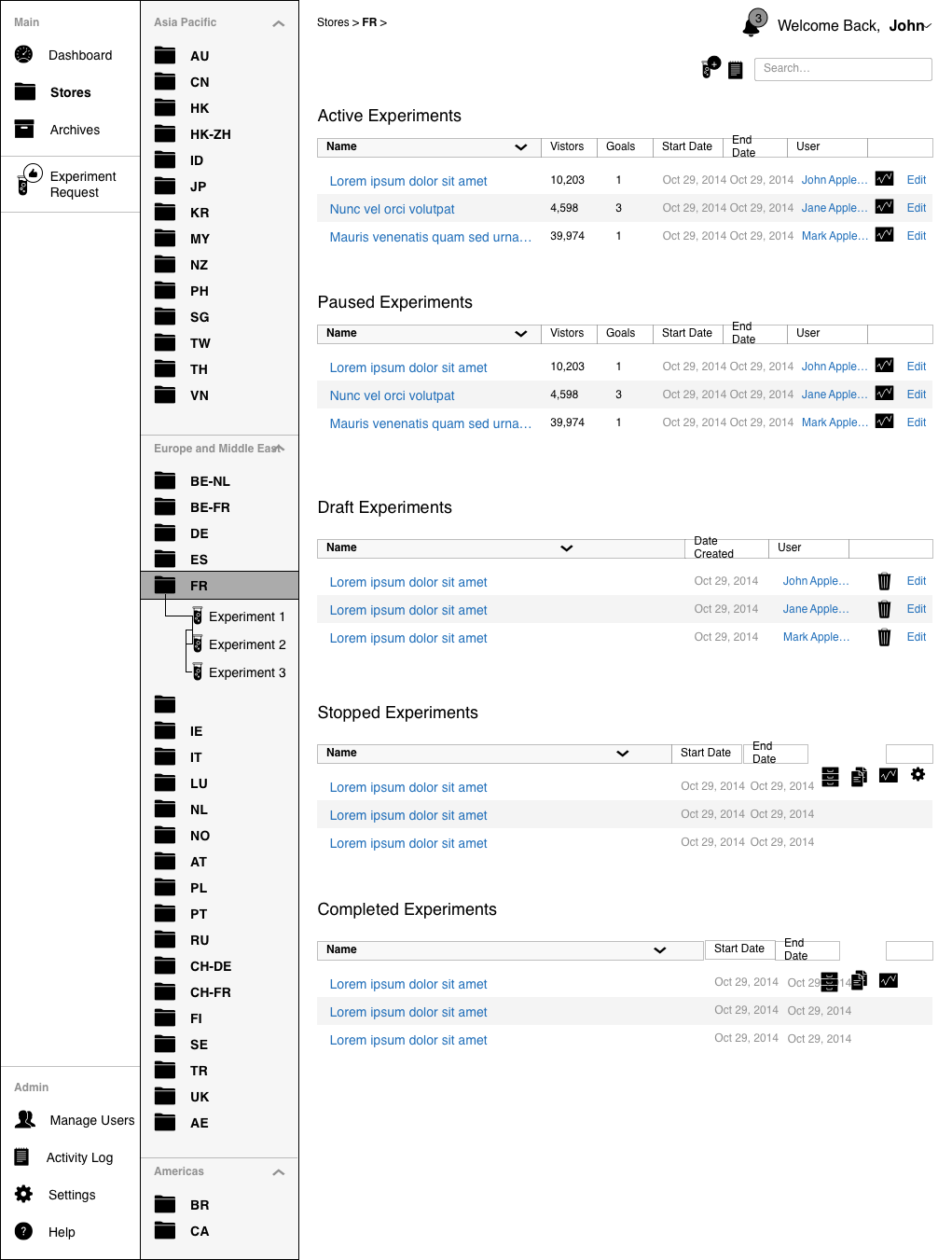
The three questions testers asked constantly were what is running, where, and for how long. A calendar dashboard answered all three at a glance and became the home of the product.
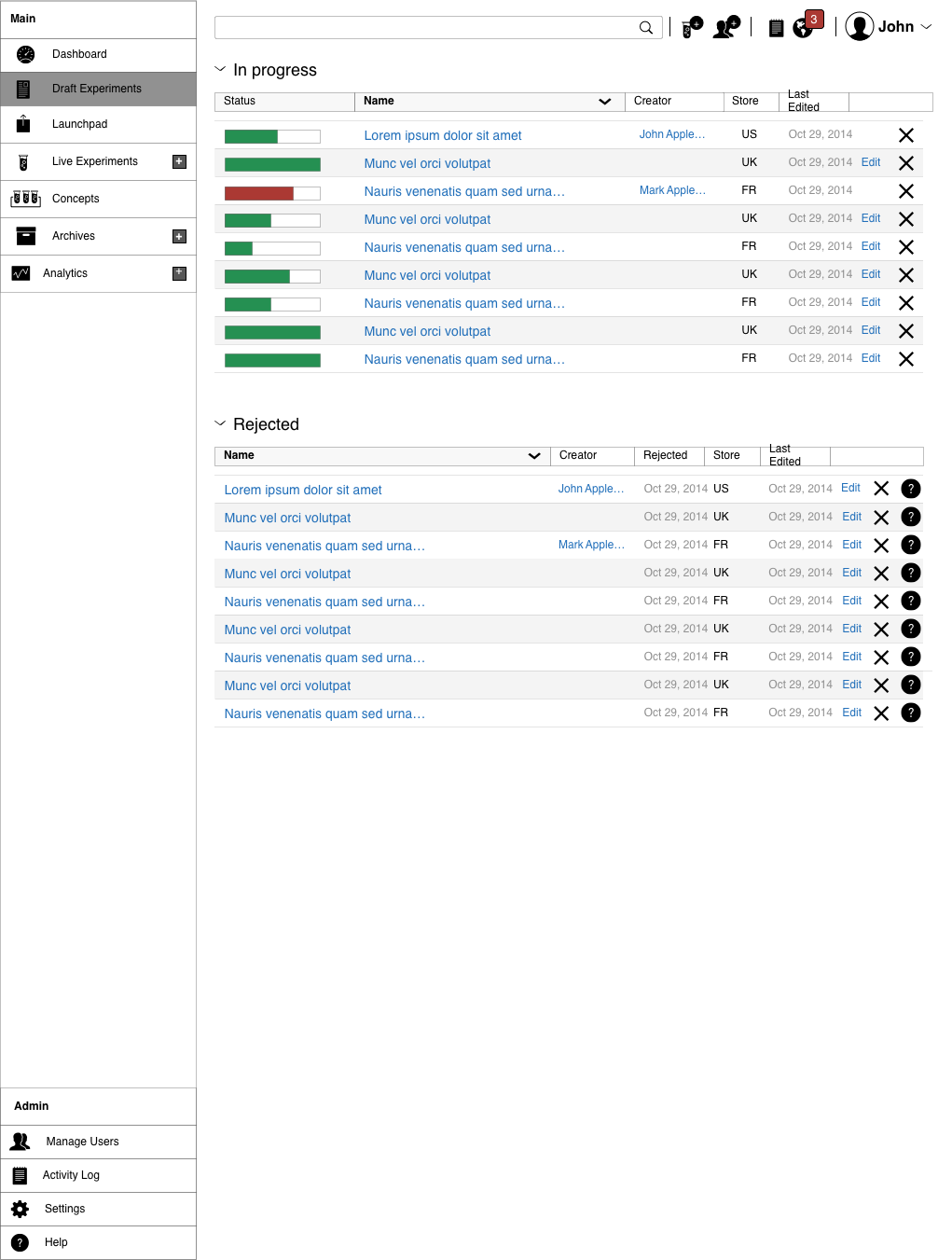
Drafts, so no work is lost.
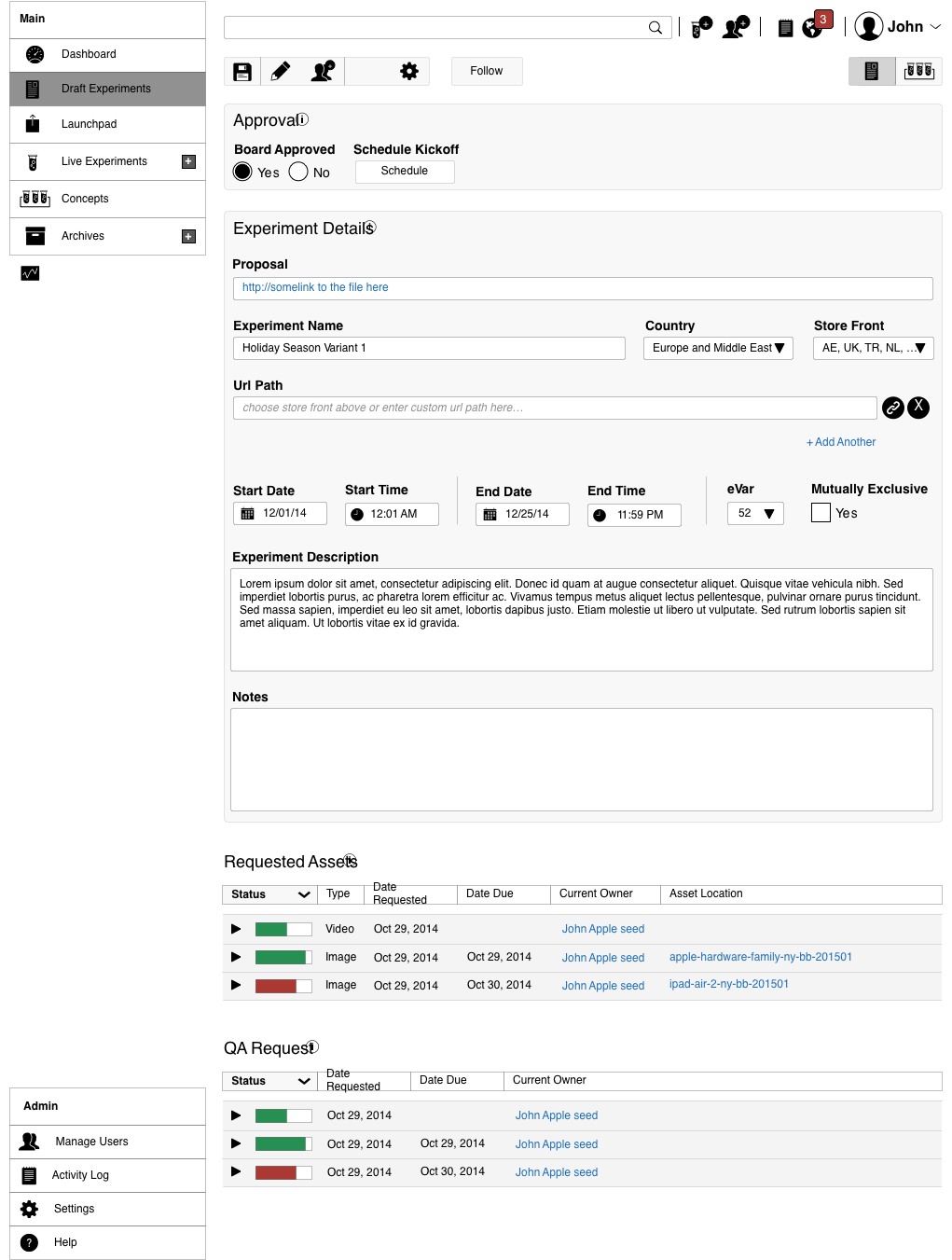
Testers run hundreds of tests a week and often need to pause one to start another. A draft system let users start, stop, and edit any test without losing progress.
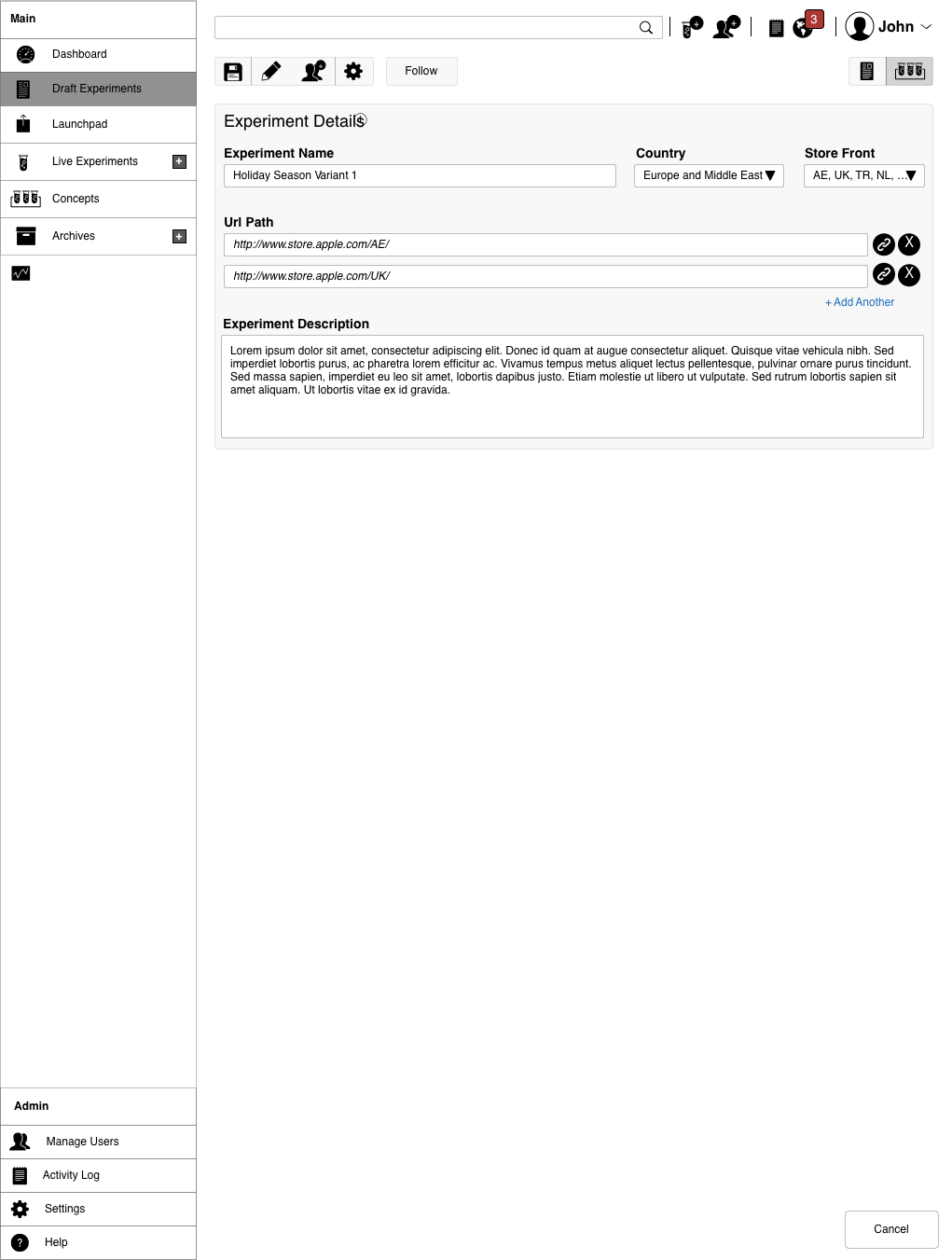
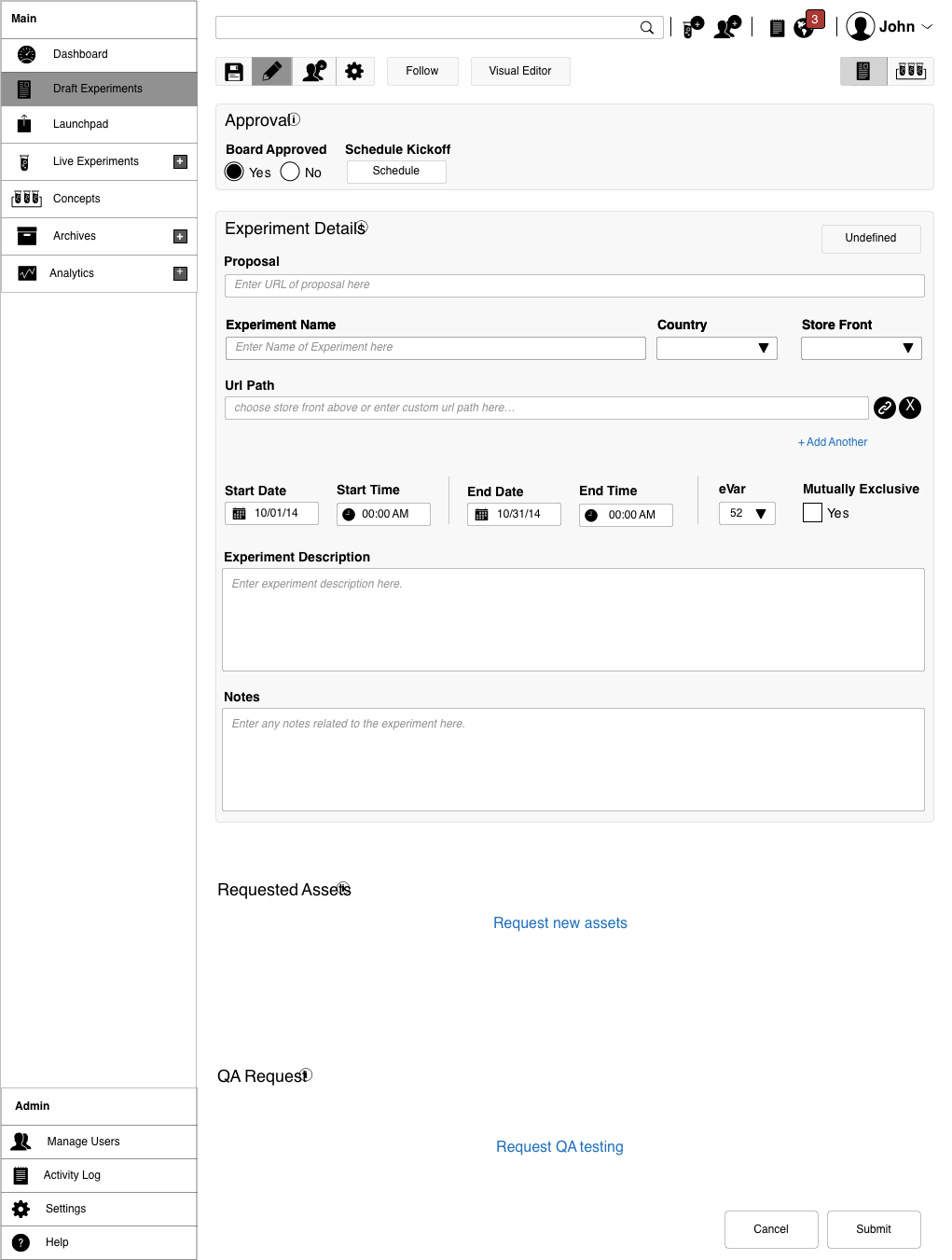
Setup, behind approval gates.
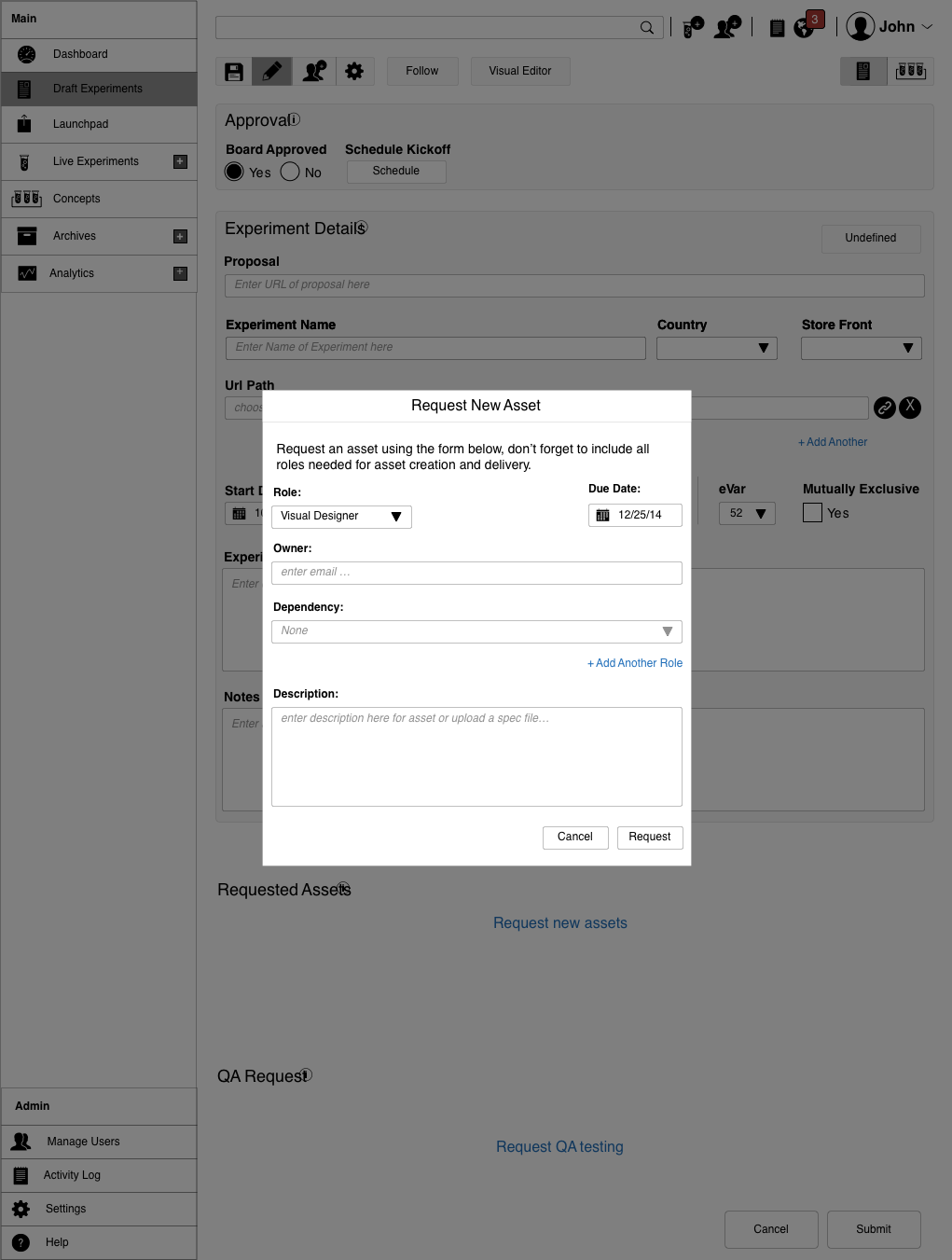
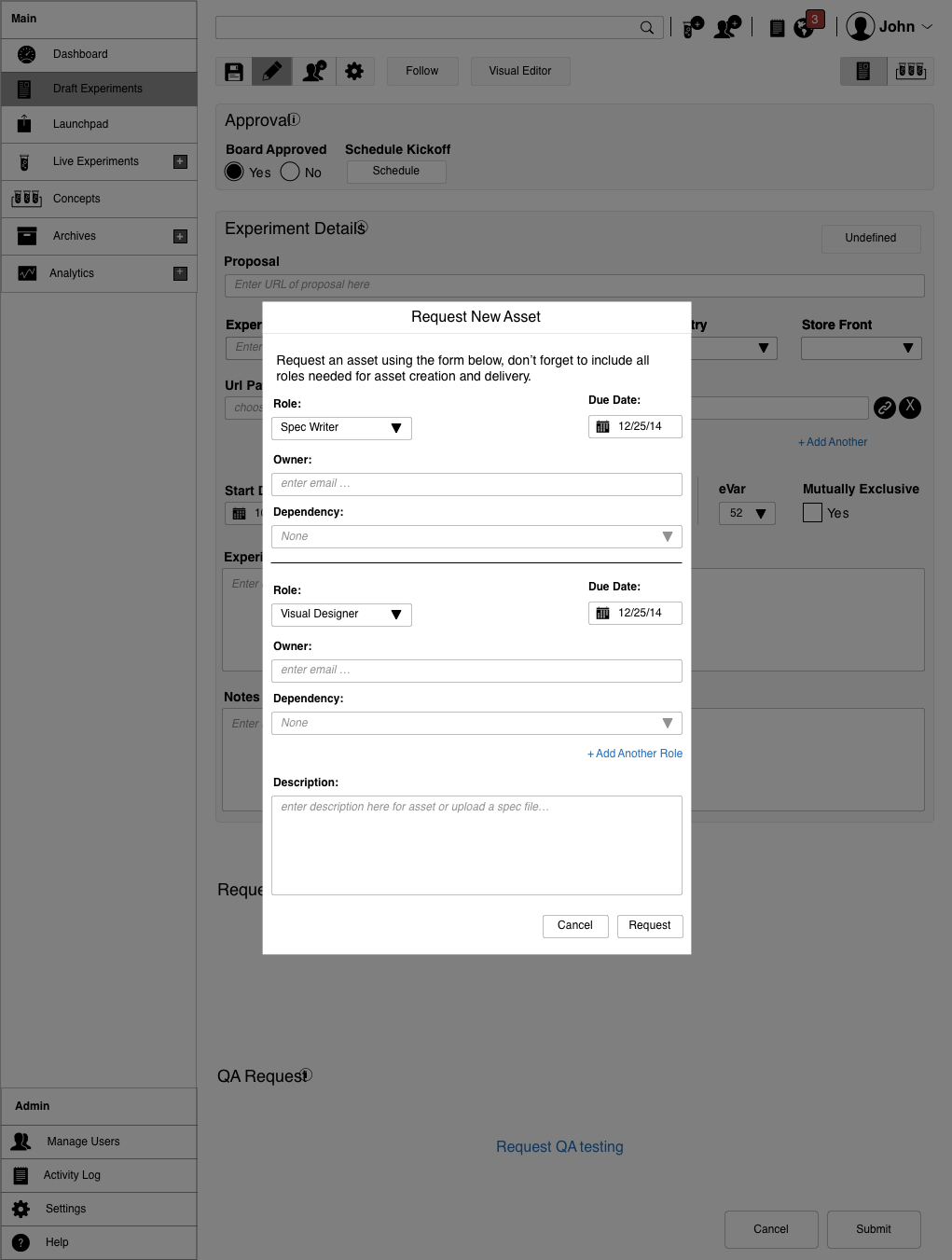
Experiment setup does two jobs: a management gateway that blocks users without prior approval, and the workspace where a user provides details and requests assets. The forced approval steps are what make an unapproved global offer impossible to ship by accident.
Offers and shipping.
Offer setup lets a tester run one or many offers in a test, from shipping cost to free items, including default shipping methods and shipping groups, such as free shipping versus paid.
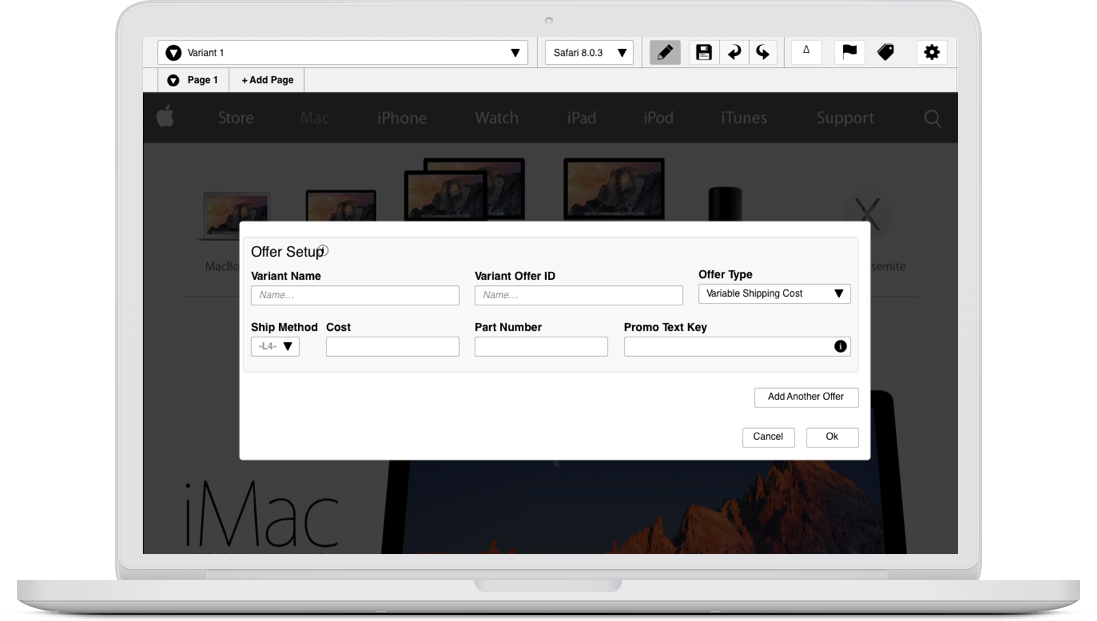
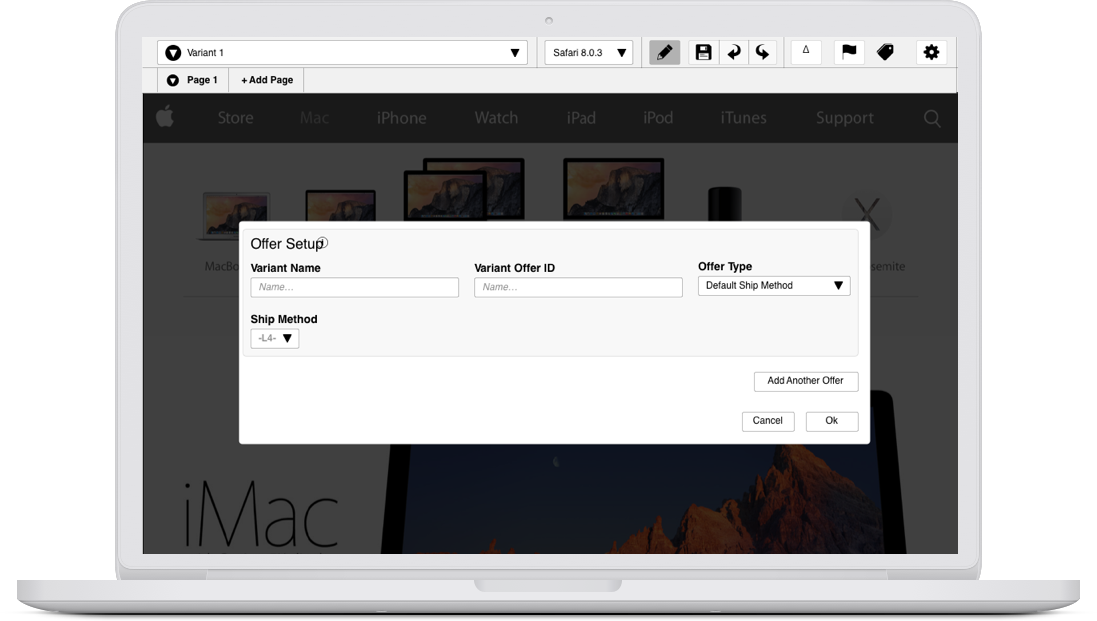
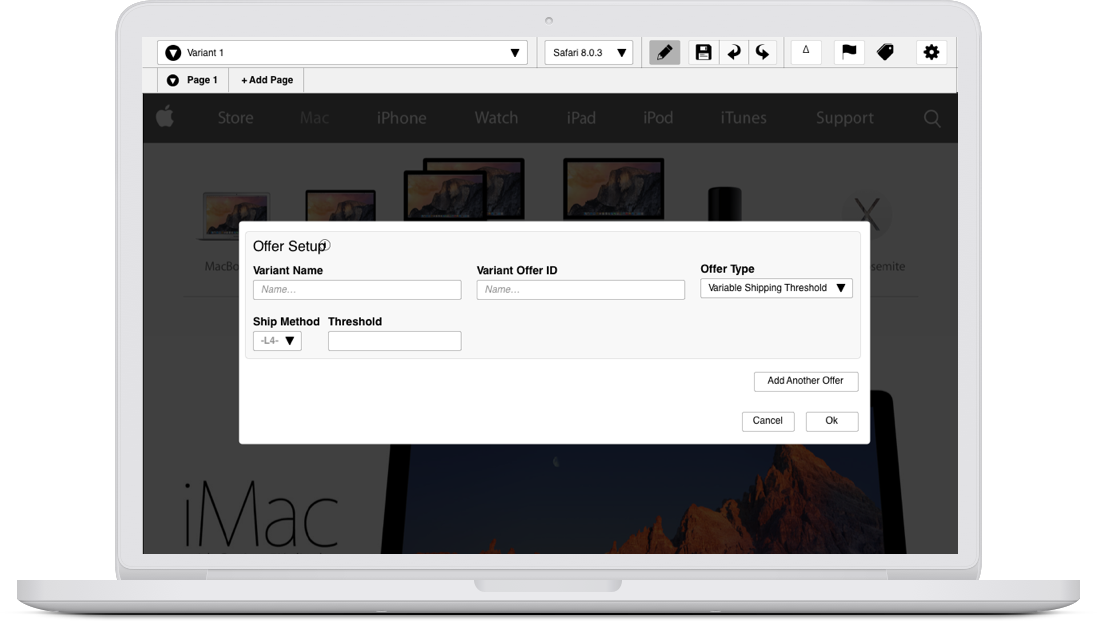
Audience, down to the IP address.
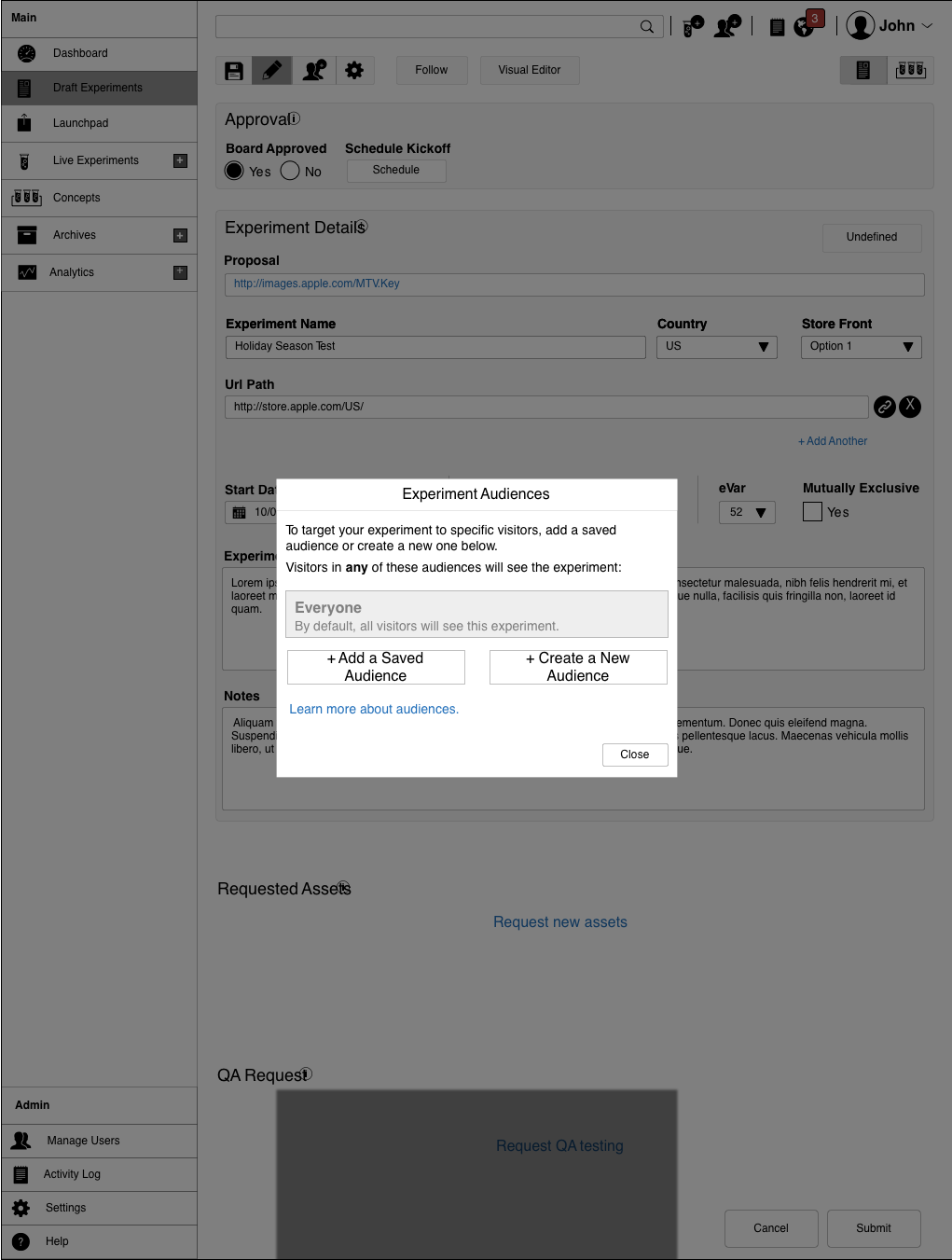
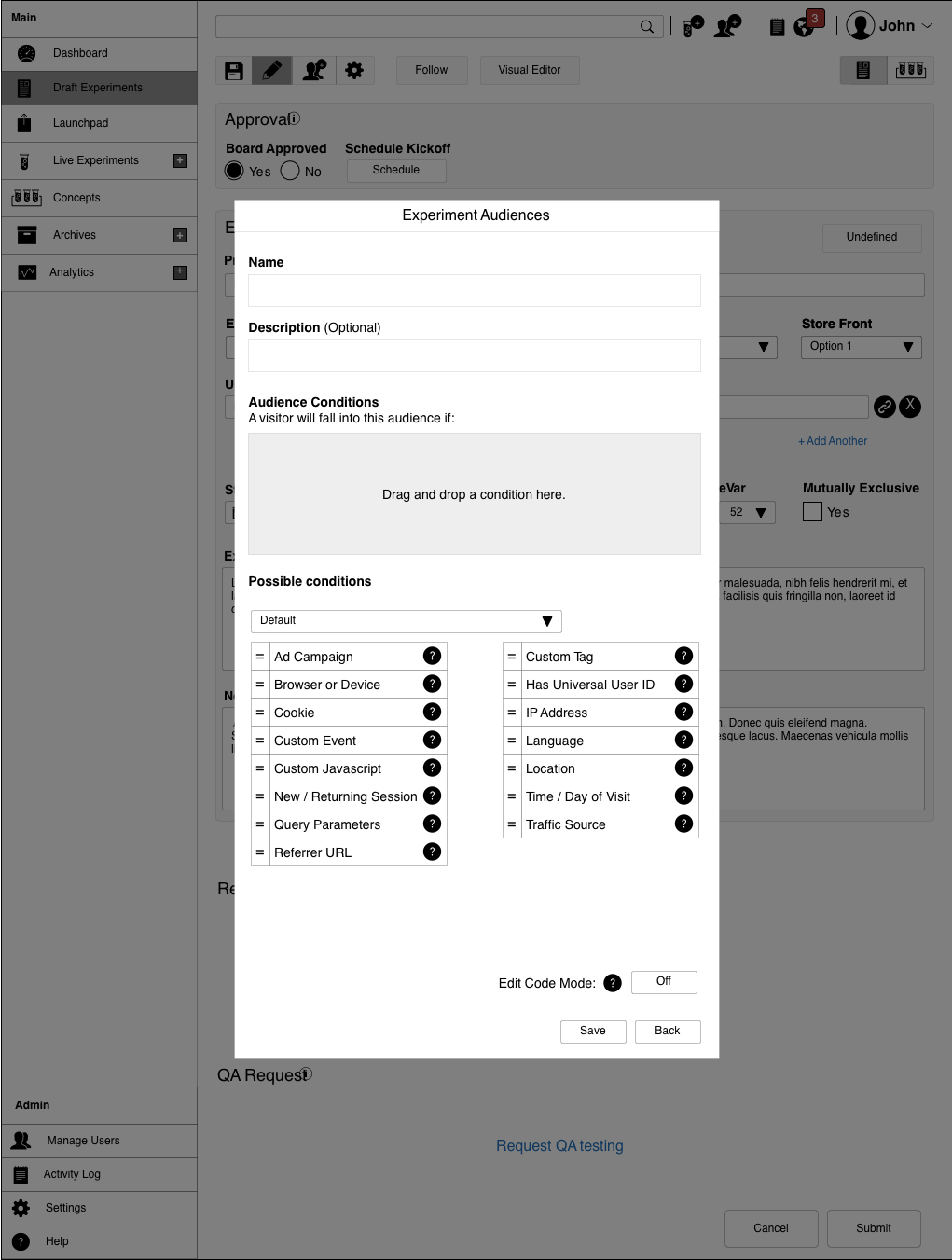
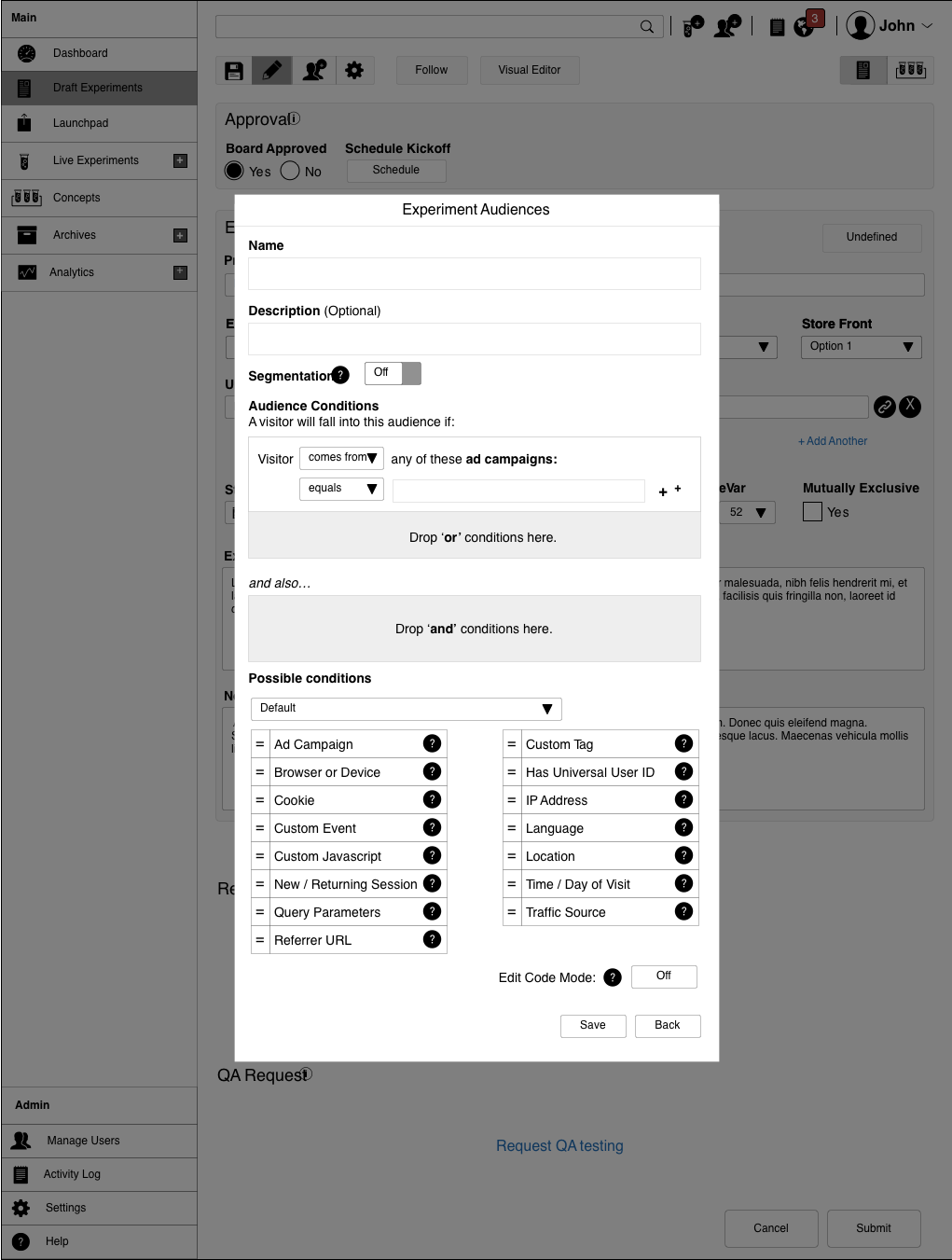
Controlling who sees which test, and when, is the strength of this kind of testing. Users set up audiences with a drag-and-drop interface, with advanced control through HTML, JavaScript, or another accepted language, granular down to the IP address.
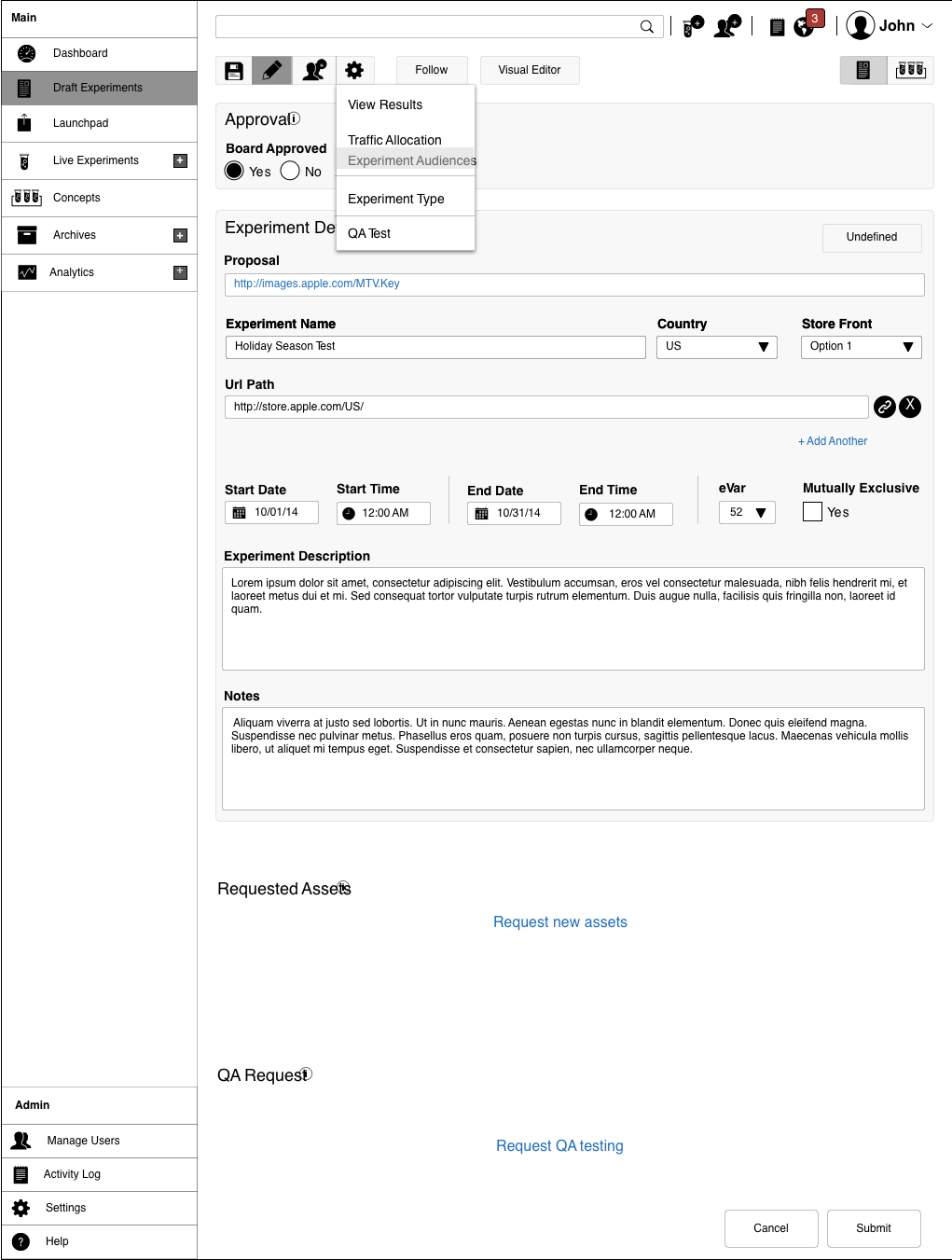
Traffic allocation, kept simple.
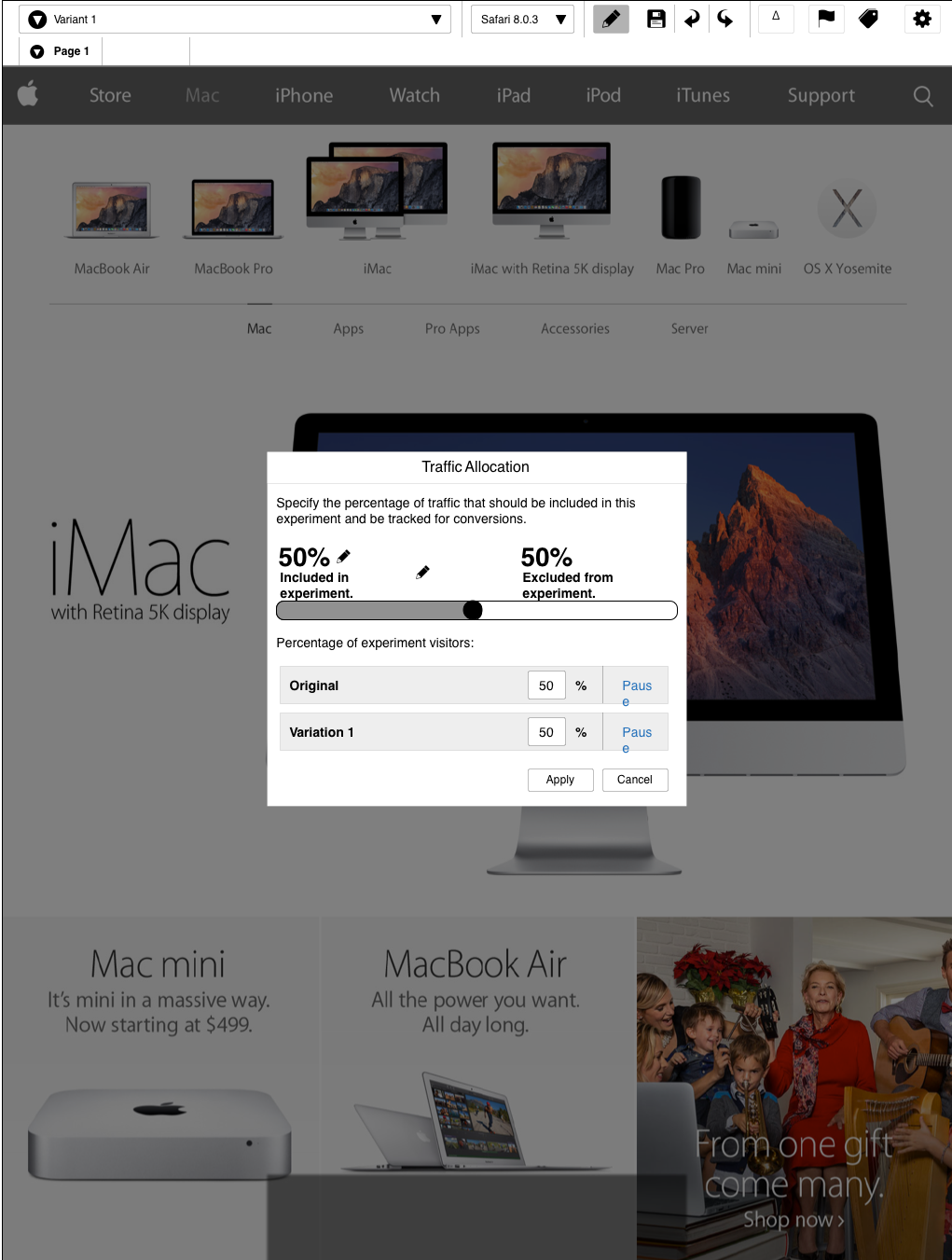
Traffic allocation diverts a percentage of web traffic to a test. It did not need to be complicated, so a single slider lets a user see and control how much traffic each test receives.
The variant editor, in detail.
The editor is where the whole product comes together. An experiment can hold multiple variants; a variant can hold multiple pages. The nine controls below let a non-technical tester build all of it.
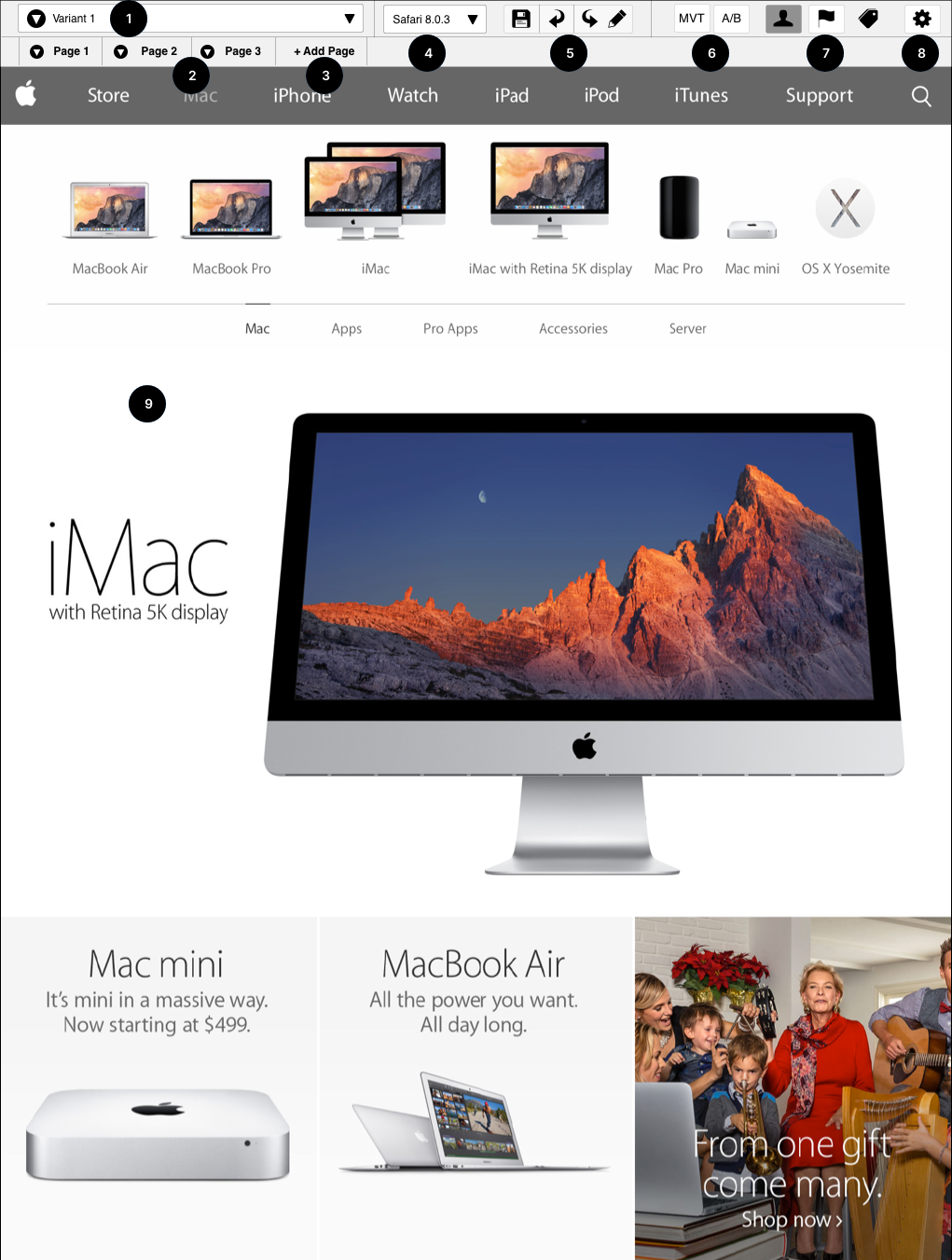
- 01Variant menu. Select a different variant in the test.
- 02Page selector. Choose which page in the variant you are editing.
- 03Add page. Add pages to the current variant.
- 04Browser selector. Simulate the experiment on another supported browser.
- 05Save and undo. The usual WYSIWYG save, undo, redo, and edit.
- 06A/B or MVT mode. Test one variant, or many.
- 07Offers and audience. Set the audience, goals, and offer.
- 08Settings. Access every setting for the experiment.
- 09Live view. See the page you are editing, live.
The screens changed as the model became clearer.
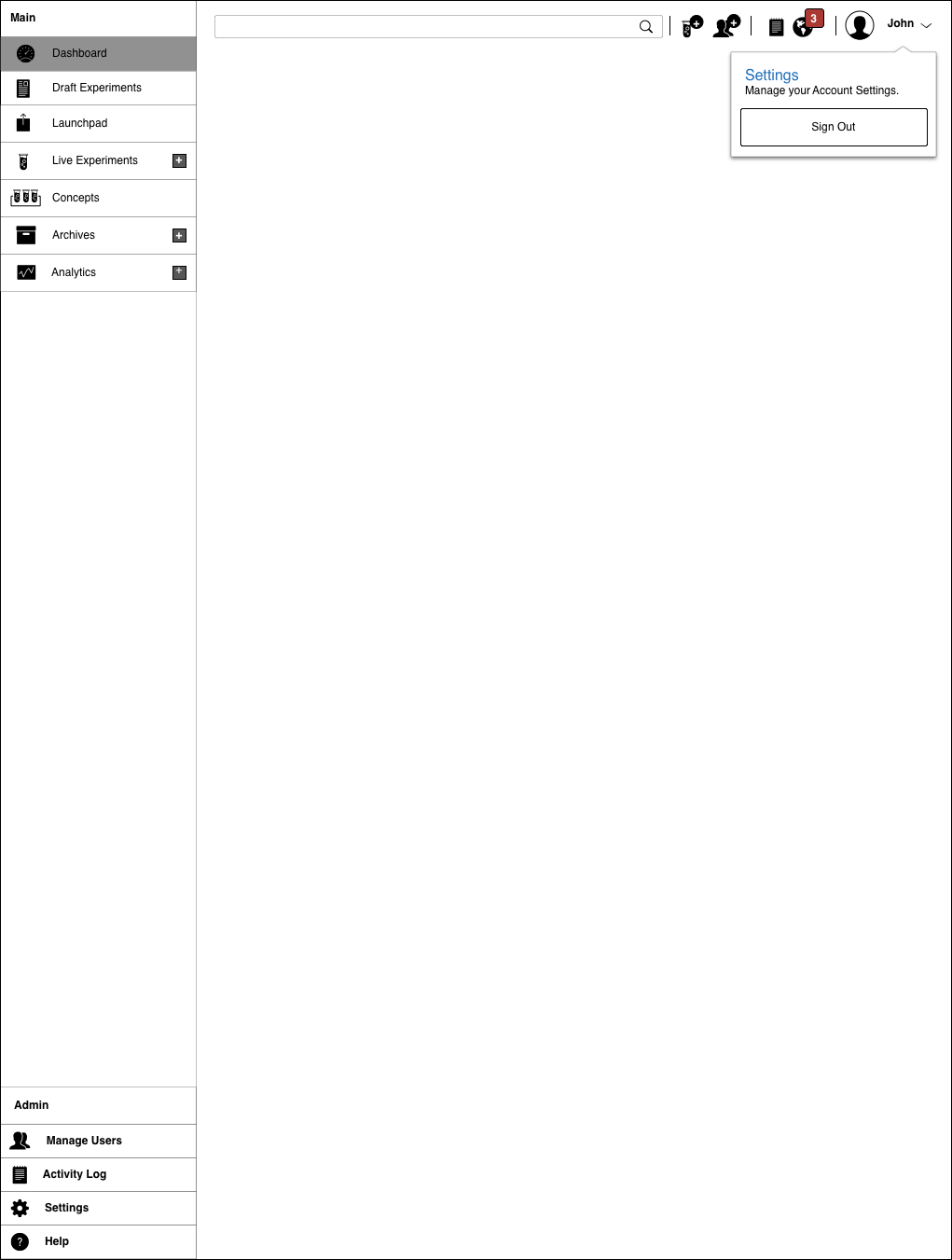
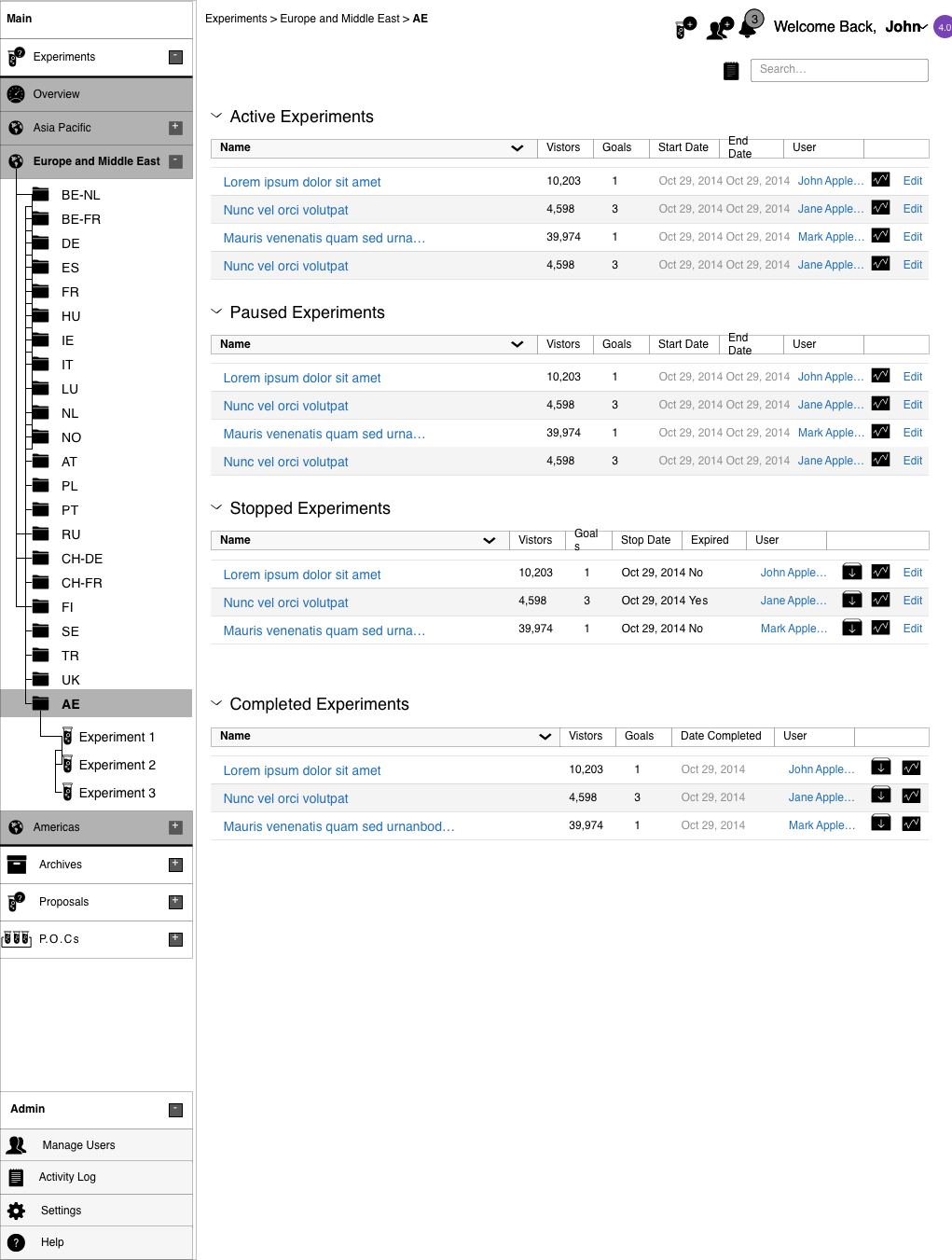
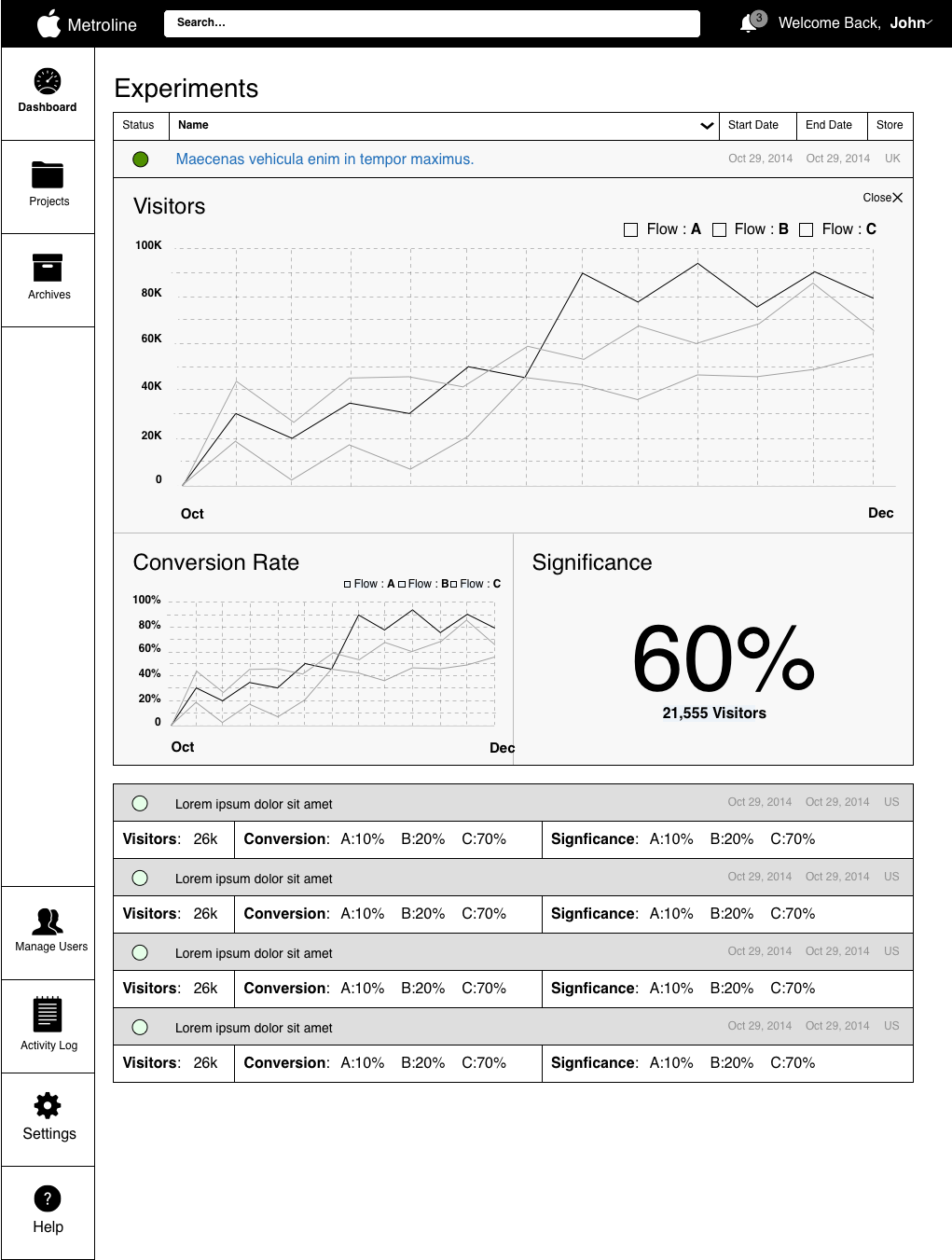
I worked through each problem on whiteboards, grid paper, and rough screen drafts before handing it to the team. These are a few of those versions.
One designer. One internal platform built to run its business on.
Truth Serum moved testing from a third-party dependency to Apple's security and permission model. I set the direction, wrote the requirements, and designed the system from research through build-ready screens.
Scope note: I was the only designer and handed off during detailed visual design as the build began. The platform launched internally in 2015 to 2016, so I do not claim public performance metrics. The documented result is the in-house platform and its security and permission model.