Copied infrastructure kept drifting. I turned the repeated work into inspectable contracts.
FABRK came out of the same SaaS work showing up in project after project. I pulled the interface patterns, service adapters, configuration, and runtime into packages that a developer or coding agent can adopt one at a time. This case starts with the reuse problem, then shows the package map, flows, wireframes, component contracts, dashboard states, architecture, and published code.
- Role
- Solo product, UX, docs, and engineering
- Observed user
- Jason across repeated application builds
- Published proof
- 13 npm packages with package-level AGENTS.md
- Status
- Shipped code, no external adoption claim
A shared system for the application work that kept returning.
Auth, billing, dashboards, tables, themes, storage, email, security, and AI tooling kept returning. My first answer was a large boilerplate. That became another thing to copy and maintain. FABRK moves the reusable work into focused packages with typed exports, provider boundaries, documentation, and package-specific instructions for coding agents.
The first copy was fast. Every copy after that became a maintenance decision.
A fix in one application did not reach the others. Agent sessions produced different interface patterns for the same job. The boilerplate grew until taking one useful part meant taking the whole stack. I needed smaller boundaries that made states, ownership, and runtime cost visible.
- 01Copied applications drifted after the first project, so fixes stayed local.
- 02Coding agents generated different shells, tables, colors, and state handling for the same product jobs.
- 03The package map grew, was consolidated, and grew again as the framework boundary changed.
- 04Public component, theme, and test counts did not always describe the same source surface.
- 05The system shipped code before it had external task, adoption, or retained-use evidence.
Start with the problem, not the finished interface.
FABRK began with work I was tired of rebuilding. I mapped those repeated jobs into packages, agent-readable contracts, application flows, wireframes, and an optional runtime.
Observed evidence comes from the active repository at commit 4ad10c2, its package manifests, CLI code, examples, published npm versions, docs, changelog, and the portfolio's live package imports. The project has no external interview study or adoption dataset. The sitemap, flows, SWOT, component contracts, and wireframes are reconstructions from that record.
Problem, users, team, and method
How might repeated SaaS infrastructure become a stable system that developers and coding agents can import, inspect, and verify without cloning one large boilerplate into every project?
- 01Audit
- 02Bound
- 03Map
- 04Extract
- 05Verify
- 06Publish
Auth, billing, dashboards, tables, themes, and AI tooling kept returning across projects. Copies drifted, fixes stayed local, and coding agents produced different interface patterns for the same job.
Replace copied application code with focused packages, documented component contracts, provider adapters, and a runtime that can be adopted one layer at a time.
Solo product, UX, system design, documentation, and engineering by Jason Poindexter. Claude Code was used as an implementation tool. No human product team or research team is claimed.
Observed user: Jason, reusing the same product infrastructure across projects. Intended users: developers and coding agents shipping more than one application. No external usability study or adoption evidence exists yet.
Source audit, prior-boilerplate extraction, package consolidation, package-level AGENTS.md files, example applications, adversarial security passes, npm publishing, and dogfooding in the docs and this portfolio.
The system is early. Node and worker build branches are present, but four-host execution was not verified. The recorded test count is dated 7 March 2026, component counts conflict, and the theme package does not expose all named palettes as one registry.
What the evidence says is broken
Copied boilerplates drifted after the first project.
- Evidence
- The project history records repeated auth, billing, dashboard, table, theme, and AI patterns whose fixes did not move between copied applications.
- Design response
- Extract the shared contracts into focused npm packages so one fix can move through a versioned dependency instead of another manual copy.
Coding agents produced different structures for the same interface job.
- Evidence
- The launch notes record recurring custom sidebars, tables, hardcoded colors, and styling approaches across agent sessions.
- Design response
- Give agents typed imports, semantic tokens, and one AGENTS.md per package. The contract exists; a comparative agent-output study does not.
The package map became harder to reason about as scope grew.
- Evidence
- The changelog records a reduction from seventeen packages to twelve, then a return to thirteen when the framework runtime was added.
- Design response
- Keep package boundaries tied to one responsibility and preserve the ability to install only the interface, service, or runtime layer a project needs.
Owning the runtime created a larger verification surface.
- Evidence
- The repository contains separate Node and worker build paths, while the roadmap records production SSR, error-boundary, metadata, and end-to-end gaps.
- Design response
- Describe Node and worker as the observed build targets. Treat Deno and Bun as portability goals until clean builds and smoke runs are recorded.
Public counts and package contracts drifted apart.
- Evidence
- The component inventory uses conflicting totals, the test count is a dated cache, and eighteen theme names are declared while the exported theme registry contains one terminal theme.
- Design response
- Date every count, define what is counted, and separate declared theme names from palettes actually distributed by the package.
The system has shipped code but not external product evidence.
- Evidence
- Thirteen packages are published and live imports render, but the record contains no external task study, retained-use data, or adoption evidence.
- Design response
- Run clean-room setup, component-assembly, failure-recovery, and agent-output comparisons with developers outside the project.
Status reports the July 2026 audit record. Proposed work is not presented as shipped.
SWOT reconstructed from the project record
Strengths
Internal / helpful- Thirteen packages are published and each package includes agent-readable guidance.
- The docs site and this portfolio import published packages instead of copying their source.
- Provider adapters keep payments, storage, email, auth, and AI behind stable interfaces.
Weaknesses
Internal / harmful- The runtime and package surface create broad compatibility, security, and release work.
- The system is early and has no external usability, adoption, or retained-use evidence.
- Component, theme, and test counts need clearer definitions and current execution receipts.
Opportunities
External / helpful- A comparative task study could measure whether agent-readable contracts reduce generated-code drift.
- Clean-room developer tests could reveal which package boundaries help and which create setup cost.
- Node and worker receipts could become a repeatable portability test before adding more hosts.
Threats
External / harmful- React, Vite, provider, and platform APIs can change faster than a solo maintainer can respond.
- Agents may still generate local code instead of accepting a dependency.
- An owned runtime can distract from the smaller component and adapter jobs that already work.
Map the work before showing the finish.
The information architecture, user tasks, screen inventory, connected wireflow, individual frames, and implementation boundary are kept in one sequence.
FABRK sitemap
- FABRK
- LearnUnderstand the boundary
- Docs home
- Getting started
- Architecture
- Packages
- Components
- CreateGenerate a local project
- Project name
- Template choice
- Generated project
- .fabrk directory
- Local application
- ComposeAdd shared capability
- Application shell
- Component families
- Design system
- Service adapters
- Agent guidance
- VerifyCheck the contract
- fabrk check
- Type check
- Package tests
- Node build
- Worker build
- EvidenceInspect what runs
- Docs site
- Component sheet
- Demo dashboard
- npm packages
- Portfolio dogfood
- LearnUnderstand the boundary
3 complete paths, including recovery
Scaffold and run a project
Get from an empty directory to a valid local application.
- 01Developer or agent
Run create-fabrk-app with optional name or template
- 02CLI
Prompt for any missing project name and template
- 03CLI
Reject an invalid name, unknown template, or existing directory
- 04CLI
Copy the template and rewrite its package name
- 05CLI
Optionally run pnpm install, initialize Git, and generate .fabrk
- 06Developer or agent
Enter the project and run fabrk dev
Invalid input exits before a project is written. An install or Git failure stops the command after copying has begun, so the user must inspect or remove the partial directory before retrying. The CLI does not currently roll the directory back.
Assemble a dashboard from shared parts
Build the dashboard from documented parts instead of drawing it again.
- 01Developer or agent
Open the component catalog
- 02Docs or AGENTS.md
Group exports by job and show supported imports
- 03Developer or agent
Choose a shell, data display, chart, form, or feedback family
- 04Application
Import components from @fabrk/components
- 05Design system
Apply semantic tokens and the selected color-theme name
- 06Developer or agent
Review loading, empty, partial, error, and ideal states
If an import or prop contract fails, return to the package type signature and component reference. Theme palettes require application CSS, so a named theme without matching variables must fall back visibly instead of appearing complete.
Add a capability and verify the build
Add one capability behind an adapter, then check the application still builds.
- 01Developer or agent
Choose a focused package
- 02Package docs
Show adapter, store, environment, and configuration contracts
- 03Developer or agent
Select the provider and permission scope
- 04Application
Register the provider behind the package interface
- 05Quality system
Run type checks, package tests, and a Node or worker build
- 06Developer or agent
Record the executed target and result
fabrk check reports environment and file presence plus agent or tool discovery, but it does not semantically validate every config value. Provider, type, test, and build failures still require their own command output and repair path.
Screens, purposes, and routes
Learn
Define the system boundary and route a new user to the shortest useful starting point.
Move from the install command to the first local application.
Explain one package boundary, exports, dependencies, and usage.
Explain which layer owns runtime, interface, services, adapters, and evidence.
Assemble
Browse the shared interface system by product job.
Show import, live preview, variants, API, and accessibility guidance.
Combine navigation, header, status, content, and action regions without creating another one-off shell.
Select one provider behind a stable payment, storage, email, auth, or AI interface.
Prove
Show shell, metrics, charts, tables, feedback, and responsive states in one assembled surface.
Prompt only for missing project name and template, then write the chosen project.
Report Node version, expected files, and whether discovered agents and tools can load.
Separate the client, server, static, sitemap, and agent-document outputs of a build.
From the docs to a checked application.
The flow covers three jobs: create a project, assemble a dashboard, and recover from a failed check. The lower branch keeps that recovery gap visible.
- startGetting started
- runCLI create
- writeProject ready
- nextComponent catalog
- openComponent detail
- useApplication shell
- checkCheck result
- issuesFailed check
- fixFix guidance
- passNode build
- workerWorker build
End state
The interface is organized by product job, anatomy, and state.
The examples are real exports. I reconstructed the anatomy and state requirements from the component code and the jobs each family covers.
Application shell
reconstructedKeep navigation, page identity, status, actions, and product content in one stable frame.
- Anatomy
- NavigationHeaderMain regionAction slotUser/status
- States
- WideNarrowMobileActive routeSigned out
- Examples
DashboardShellDashboardHeaderSidebar
Data and metrics
reconstructedSupport exact lookup, comparison, filtering, selection, and status review.
- Anatomy
- TitleValue or rowsContextFilter/sortRow action
- States
- LoadingEmptyPartialIdealError
- Examples
DataTableKpiCardStatsGrid
Charts
reconstructedAnswer one comparison, trend, distribution, or status question without replacing exact data.
- Anatomy
- Question titleScaleMarksDirect labelsData table
- States
- LoadingNo dataDataOutlierError
- Examples
BarChartLineChartGaugeSparkline
Forms and actions
reconstructedCollect input, explain requirements, and keep validation attached to the field or action.
- Anatomy
- LabelControlHelperErrorPrimary action
- States
- RestFocusFilledLoadingInvalidDisabled
- Examples
ButtonInputSelectForm
Feedback and recovery
reconstructedExplain what happened, what was preserved, and the next safe action.
- Anatomy
- StatusMessageEvidenceRecovery actionDismiss
- States
- InfoWarningFailureSuccessBusy
- Examples
AlertLoadingEmptyStateErrorBoundary
AI and administration
reconstructedExpose conversation, audit, health, permissions, and system state without mixing them into generic cards.
- Anatomy
- ScopeStatusContentEvidenceAction
- States
- IdleRunningAwaiting inputFailedComplete
- Examples
AiChatAuditLogSystemHealthWidget
One dashboard shell must survive five data conditions.
The shell stays put across loading, empty, partial, error, and ideal states. Only the evidence, action, and recovery path change.
Loading
Is the system fetching the dashboard data?
Preserve the shell and reserve the final layout so content does not jump when data arrives.
Empty
What should happen before this project has data?
Explain why the dashboard is empty and route to the first useful setup action.
Partial
Which parts work and which still need attention?
Show available evidence first, mark missing sources, and keep the warning attached to the affected region.
Error
What failed, what remains, and how can the user recover?
Keep the last safe shell, name the failed source, preserve prior data when possible, and offer logs plus retry.
Ideal
Is the project healthy, changing, and ready for the next decision?
Lead with current status, then show the trend, exact records, and recent activity needed to decide.
Structure and state before visual finish
Docs home
One starting choice, framework proof, package index, and direct route to the demo.
Current / Search open / Navigation collapsed
Getting started
Installation, project structure, first route, and the checks required before moving on.
Prerequisites / Install / First run / Failure guidance
Package reference
Boundary, installation, exports, configuration, examples, and related packages.
Overview / Exports / Example / Related package
Component catalog
Search and product-job grouping lead to a component, template, or assembled demo.
Loading / Results / Filtered / No results
Component detail
Import, anatomy, live state, API, accessibility, and known limits stay together.
Default / Focus / Loading / Invalid / Disabled
Demo dashboard
An assembled application proves the shell, data, charts, feedback, and responsive states together.
Loading / Empty / Partial / Ideal / Error
CLI create
Project name and template are the only prompts. Install and Git can be skipped with flags.
Prompt / Copying / Installing / Git setup / Failed / Complete
CLI check
The check reports environment and project-shape evidence. It does not replace semantic config validation or a build.
Passed / Warnings / Issues found
Focused packages replace the copied application.
This comes from the active monorepo. A project can stop at components or adapters, or add the runtime when it needs routing, SSR, tools, and build targets.
- Developer or agent chooses a package or scaffold
- The package contract and AGENTS.md define the supported surface
- The application imports components or service adapters
- The design system and config supply shared rules
- The optional runtime discovers routes, middleware, agents, and tools
- Type, test, Node, or worker commands produce the execution receipt
The package boundary became the product boundary.
The maps above show the jobs and boundaries before the finished examples. The decisions below connect those structures to the source, the package history, and the evidence I actually have.
Extract focused packages instead of copying another application
One responsibility gets one versioned place to change. I split components, configuration, auth, payments, email, storage, security, AI, persistence, scaffolding, and the optional runtime into separate packages. A project can import a button or provider adapter without taking the application shell. The active repository has thirteen package directories, and all thirteen names are published on npm.
import {
  DashboardShell,
  KpiCard,
  DataTable,
} from '@fabrk/components'

import { createConfig } from '@fabrk/config'
import { createPaymentAdapter } from '@fabrk/payments'Consolidate when the package graph stops explaining itself
A package is useful only when its responsibility stays legible. The package count fell from seventeen to twelve, then returned to thirteen when the runtime became its own responsibility. I kept that history because it shows where an earlier boundary created more navigation and release work than it saved.
Write the contract for people and coding agents
Types say what compiles. The package guide says what belongs. Every current package contains an AGENTS.md file beside its typed exports. The guide says what the package is for, what belongs inside it, and which checks must pass. That contract exists in the repository. I have not yet shown that an external developer or agent works better with FABRK than without it.
Treat the runtime as optional and expensive
The shared parts should not require ownership of the entire stack. The framework package adds file-system routing, server rendering, middleware, agents, tools, build output, and developer commands. The active source has Node and worker build branches. Project copy also names Deno and Bun, but I do not present them here as working targets without clean build and smoke-run receipts.
Separate shipped code from current verification
A dated count is a record, not a live test result. The repository records 3,221 tests on 7 March 2026 and twelve rounds of adversarial security work. I did not rerun the full suite for this case study. The number stays dated. Package manifests, live imports, source inspection, and current builds are separate evidence.
The finished surfaces come after the system map.
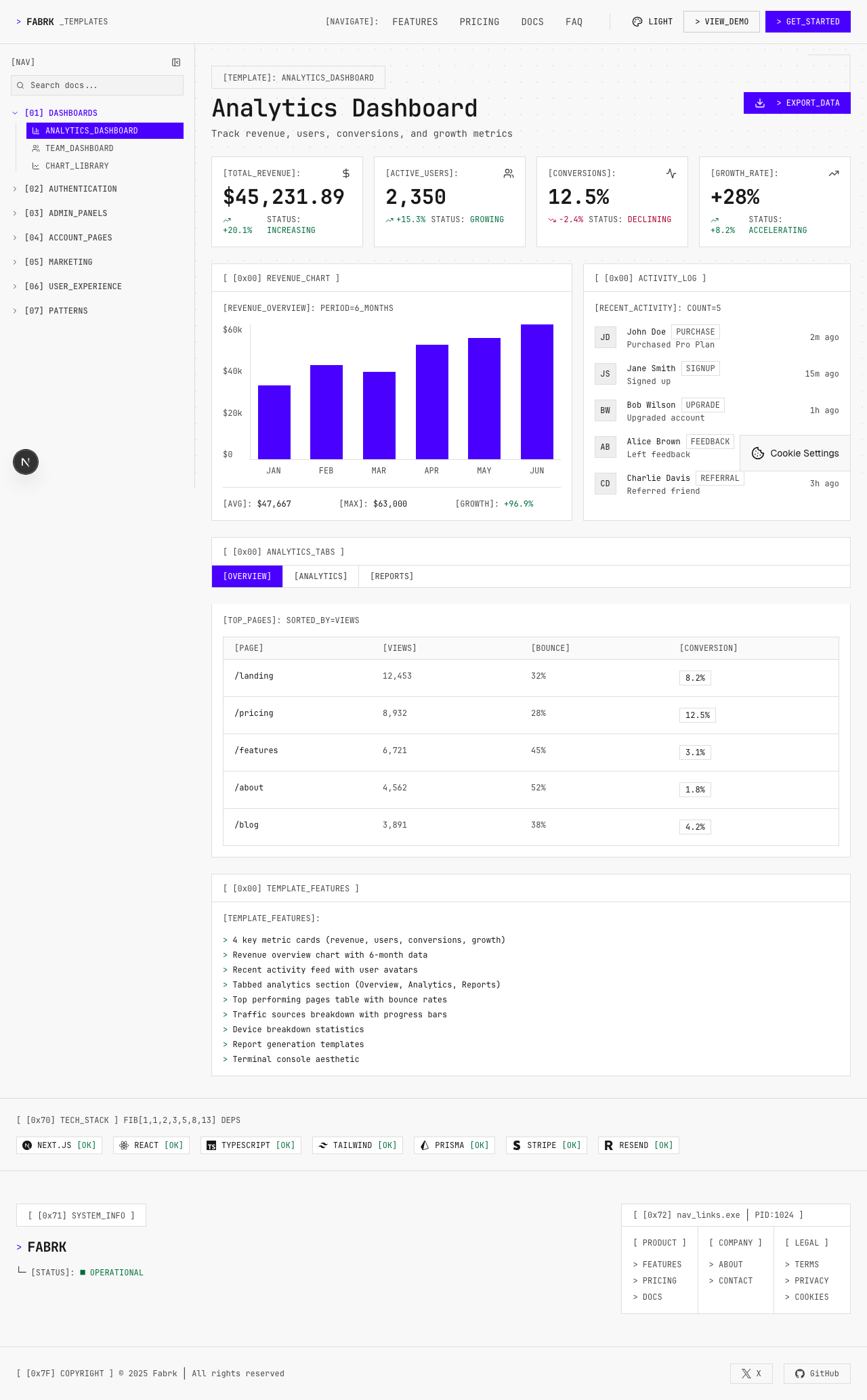
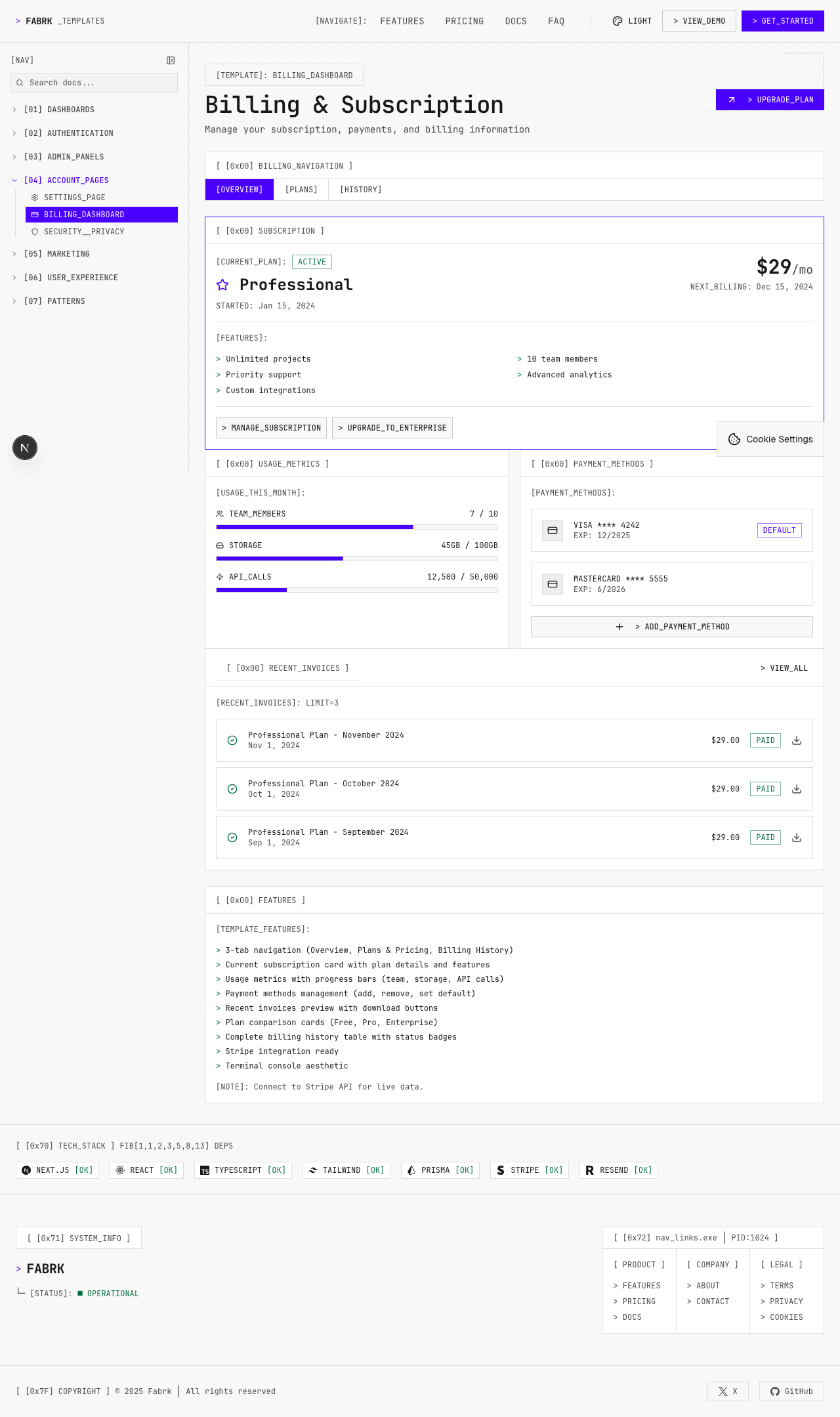
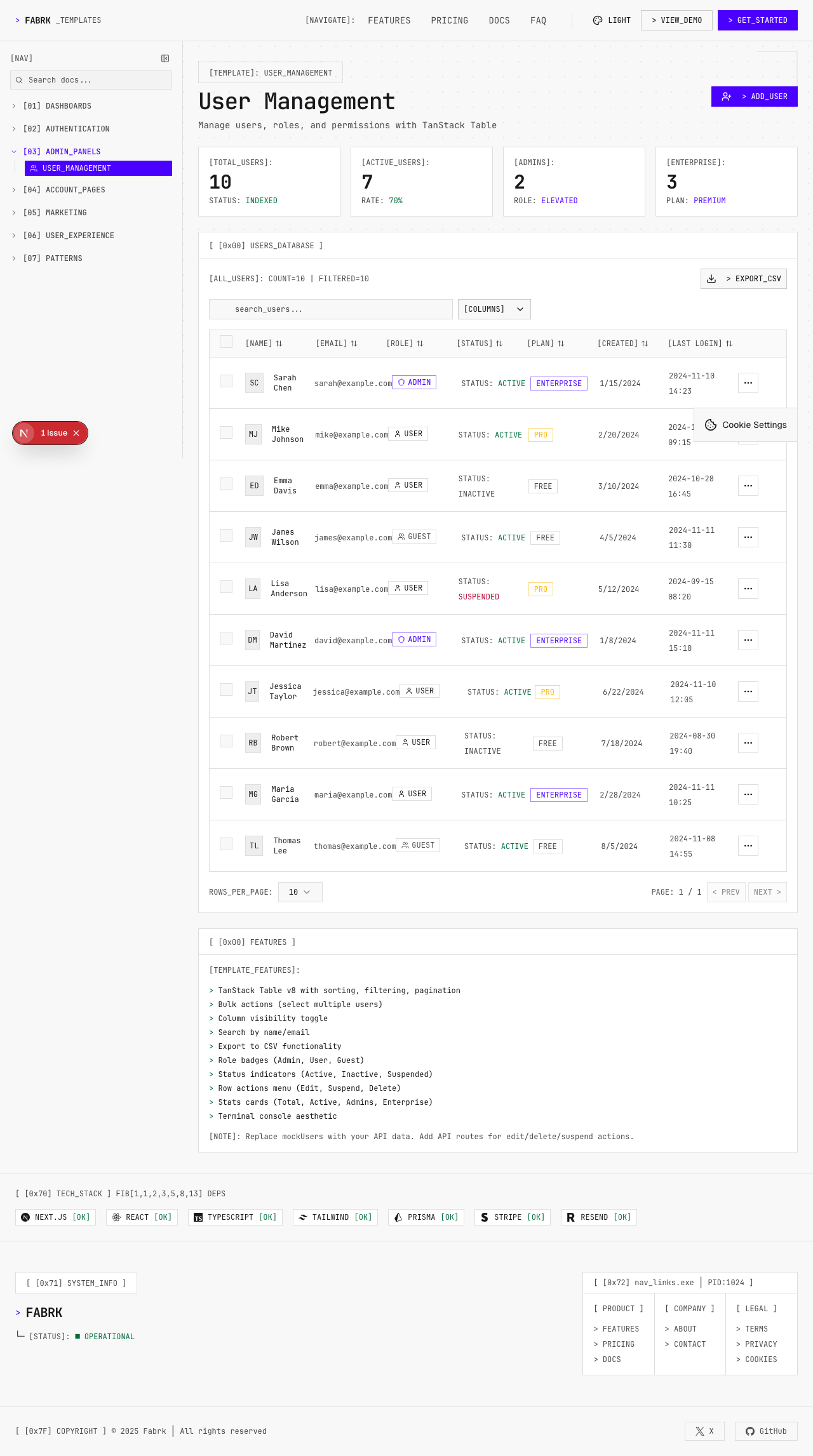
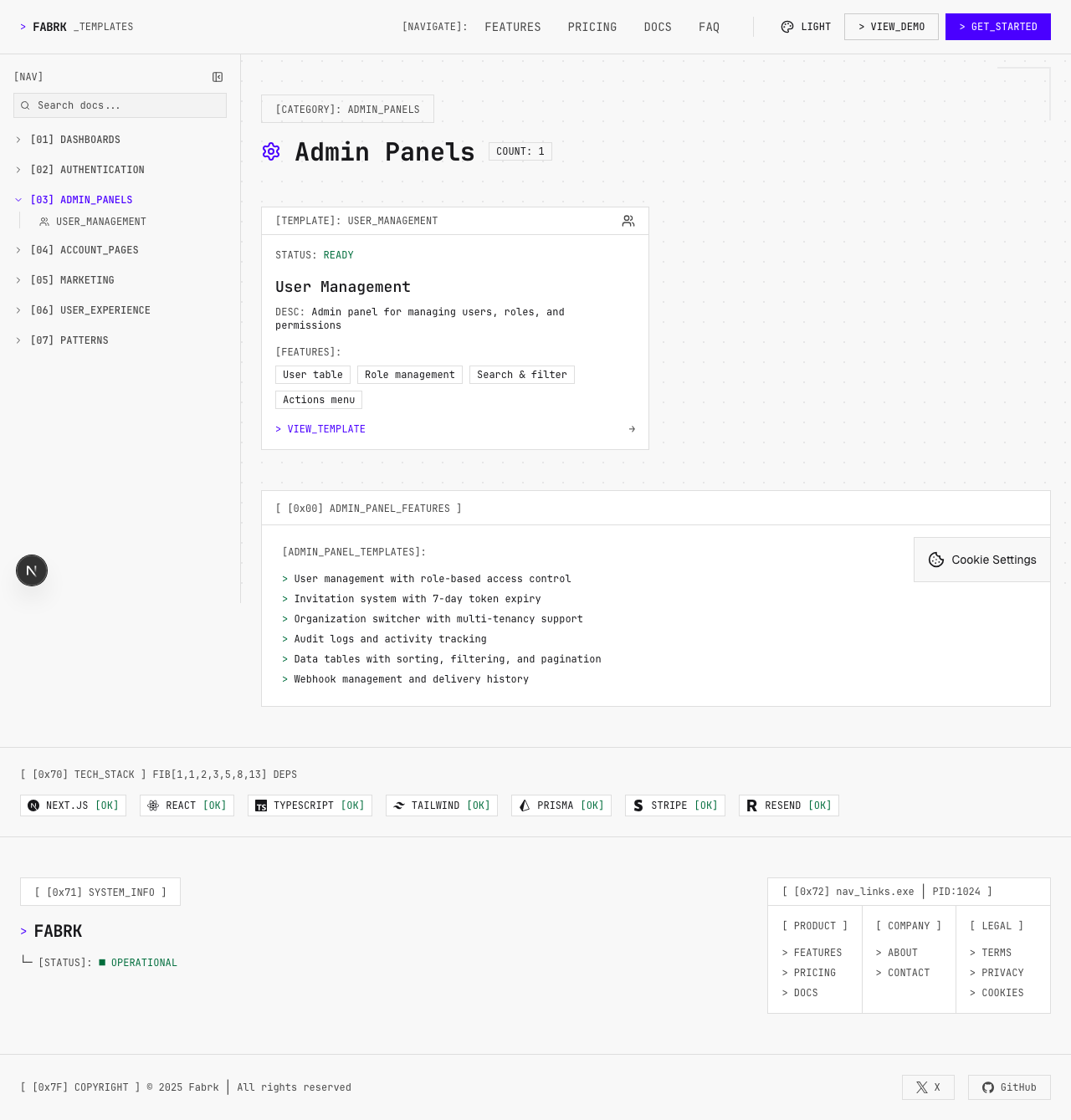
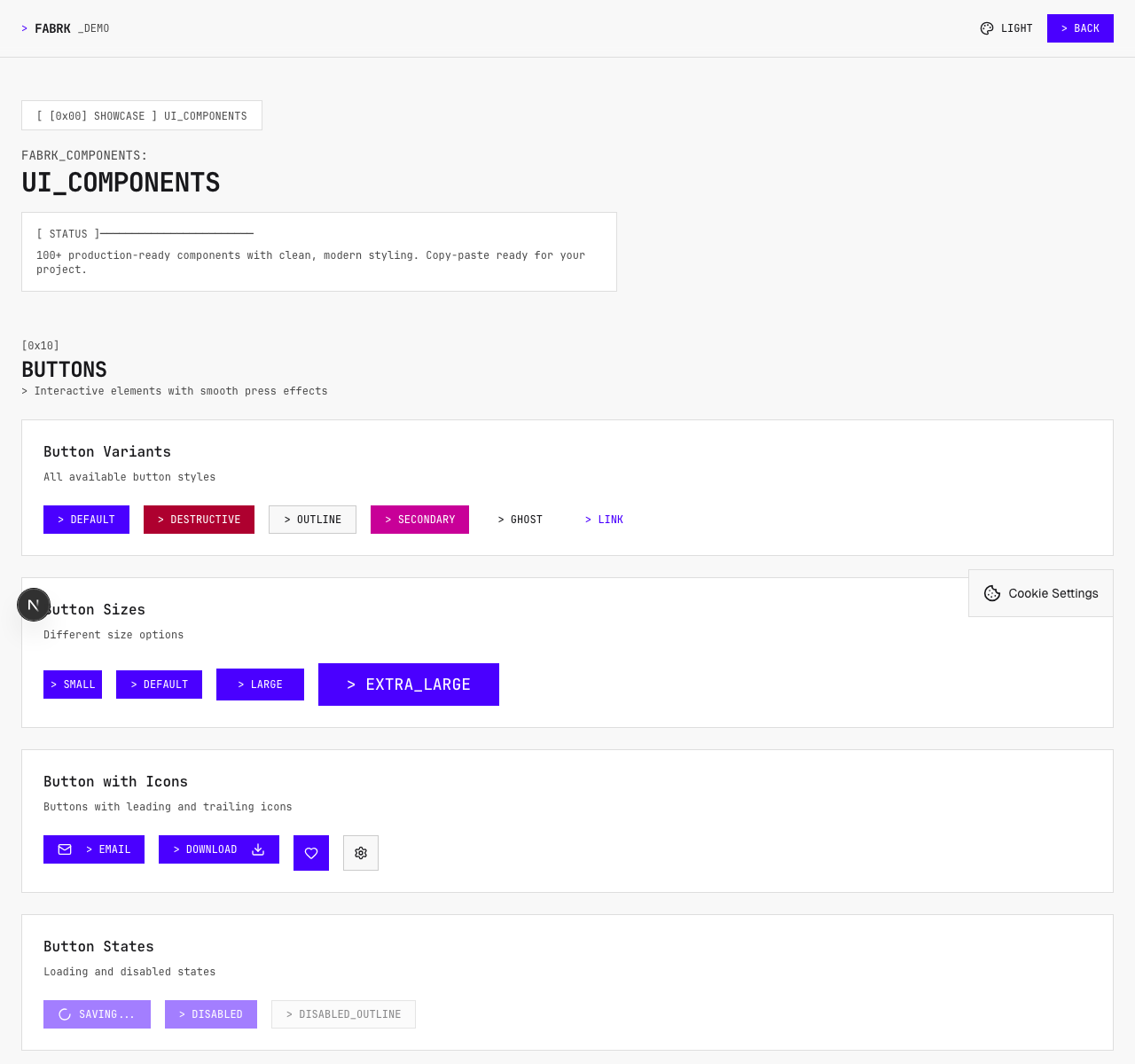
The artifacts below show the published components, documented states, assembled screens, and two public product surfaces. They prove the code and interfaces exist. They do not prove adoption or usability.
The library reads as one working system.
The playground below comes from the FABRK product repository and renders the published package inside this case study. Its states, controls, and responsive behavior come from the same component system a project installs.
Documentation sections
[DROPDOWN MENU]
[LOADING...]
[PROGRESS]
[BADGES]
[NO DATA]
No items found
[RADIO GROUP]
[SWITCHES]
[DATA TABLE]
[ACTIVE FILTERS]
[LIVE STATS]
Live[SLIDER]
Value: $400
[CHECKBOXES]
[SELECT MENU]
[INPUT TYPES]
[BUTTON GROUP]
Application shell
DashboardShellNavigation, mobile state, content, and user regionDashboardHeaderPage identity, context, and action slotSidebarPrimary product navigationContainerResponsive content boundaryData and metrics
DataTableSorting, filtering, pagination, and selectionKpiCardMetric, context, and changeStatsGridResponsive group of comparable metricsJsonViewerCollapsible structured dataCharts
BarChartCategorical comparisonLineChartChange over timeGaugeValue against a bounded rangeSparklineCompact trend inside a row or cardForms and actions
ButtonPrimary, secondary, loading, and disabled actionsInputText input with label and validation supportSelectBounded option selectionFormField registration and validation wrappersFeedback and recovery
AlertStatus and corrective guidanceLoadingPending content stateEmptyStateNo-data explanation and next actionErrorBoundaryContained failure and fallbackAI and administration
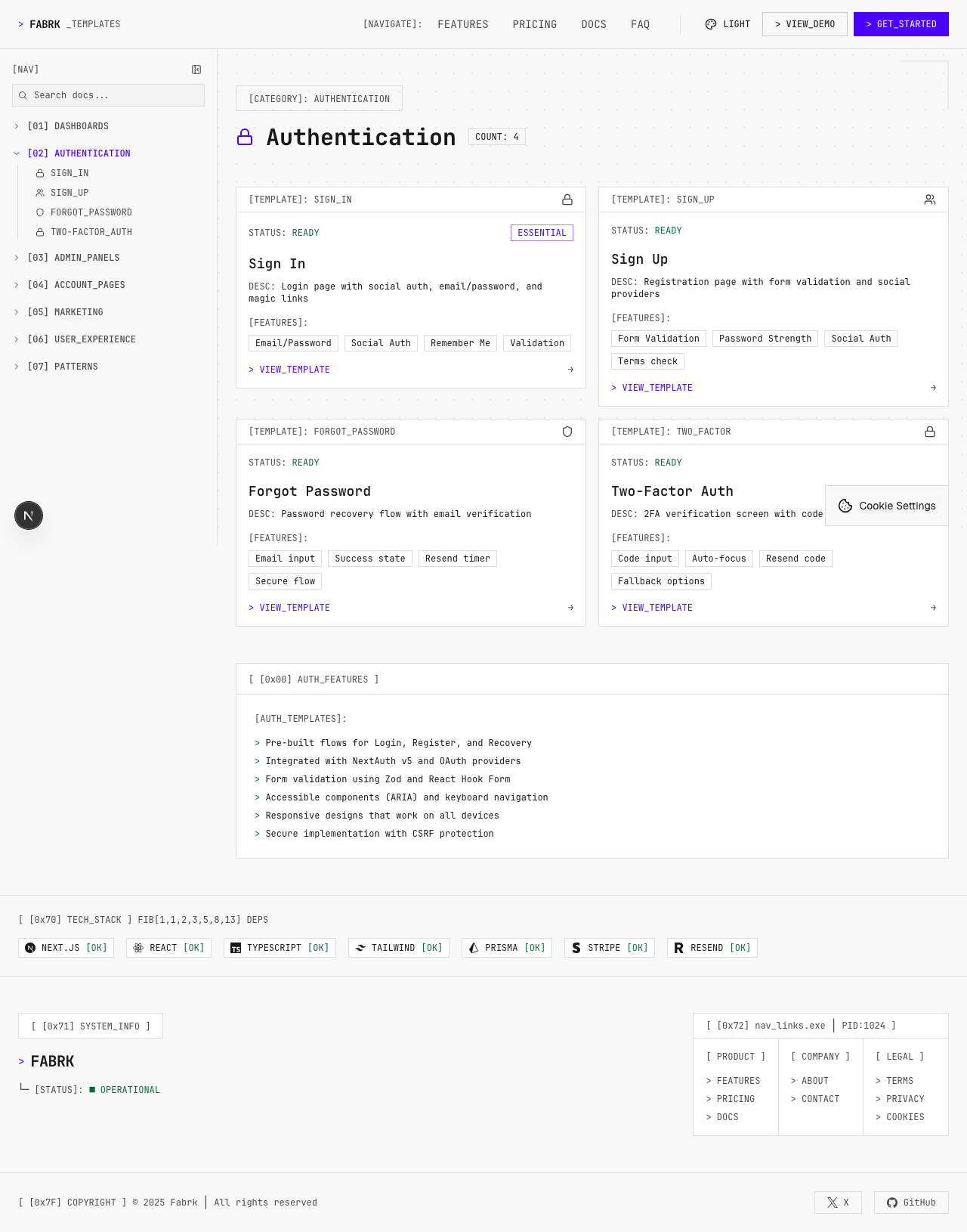
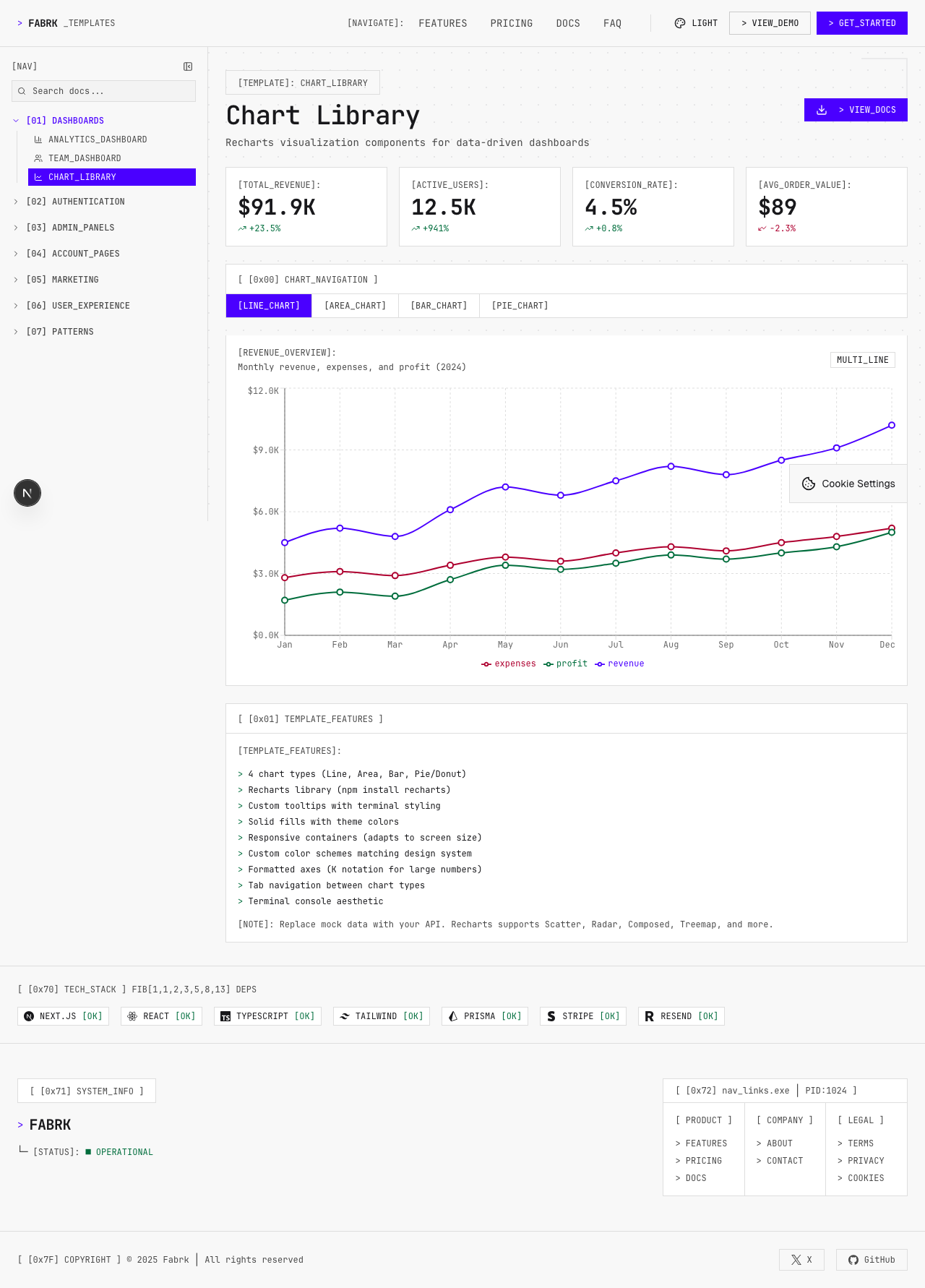
AiChatConversation shell and model interactionTokenCounterUsage against a stated limitAuditLogSearchable event historySystemHealthWidgetService and system statusAn assembled screen must survive more than the ideal state.
The wireframes keep one shell across loading, empty, partial, error, and ideal conditions. The rendered examples below show assembled screens from the project asset record.
| Package | Current version | Primary responsibility |
|---|---|---|
| @fabrk/components | 0.4.1 | Interface components and hooks |
| @fabrk/design-system | 0.4.1 | Tokens, terminal theme, and mode helpers |
| @fabrk/framework | 0.3.2 | Runtime, routing, SSR, agents, tools, and CLI |
| create-fabrk-app | 0.3.2 | Project scaffolding |
| @fabrk/config | 0.3.1 | Typed configuration |
| @fabrk/core | 0.3.1 | Shared product and runtime primitives |
| @fabrk/ai | 0.3.1 | Provider, cost, prompt, and streaming tools |
| @fabrk/auth | 0.3.1 | Authentication and MFA contracts |
| @fabrk/payments | 0.3.1 | Payment provider adapters |
| @fabrk/security | 0.3.1 | Security and audit primitives |
| @fabrk/email | 0.3.1 | Email adapters and templates |
| @fabrk/storage | 0.3.1 | Object and local storage adapters |
| @fabrk/store-prisma | 0.3.1 | Prisma persistence adapters |
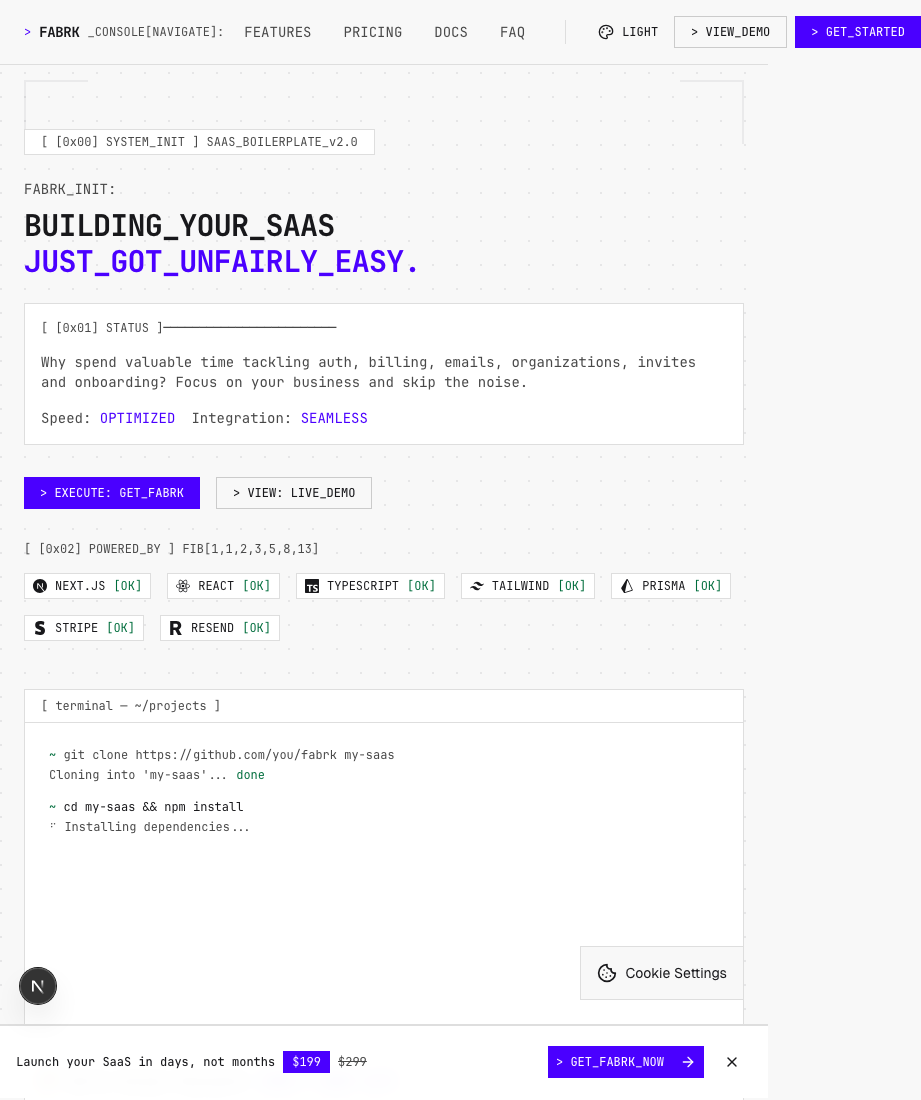
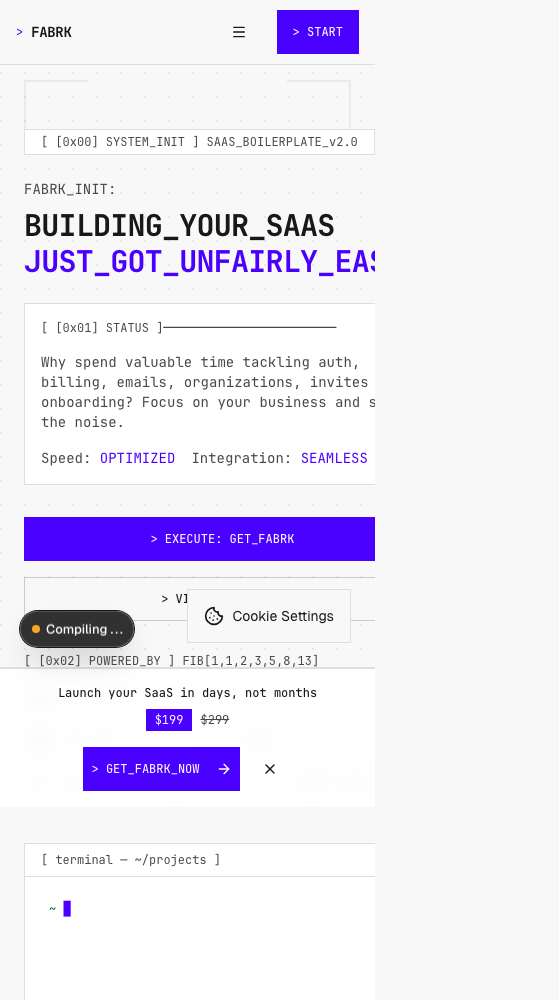
Documentation and the original commercial product stay separate.
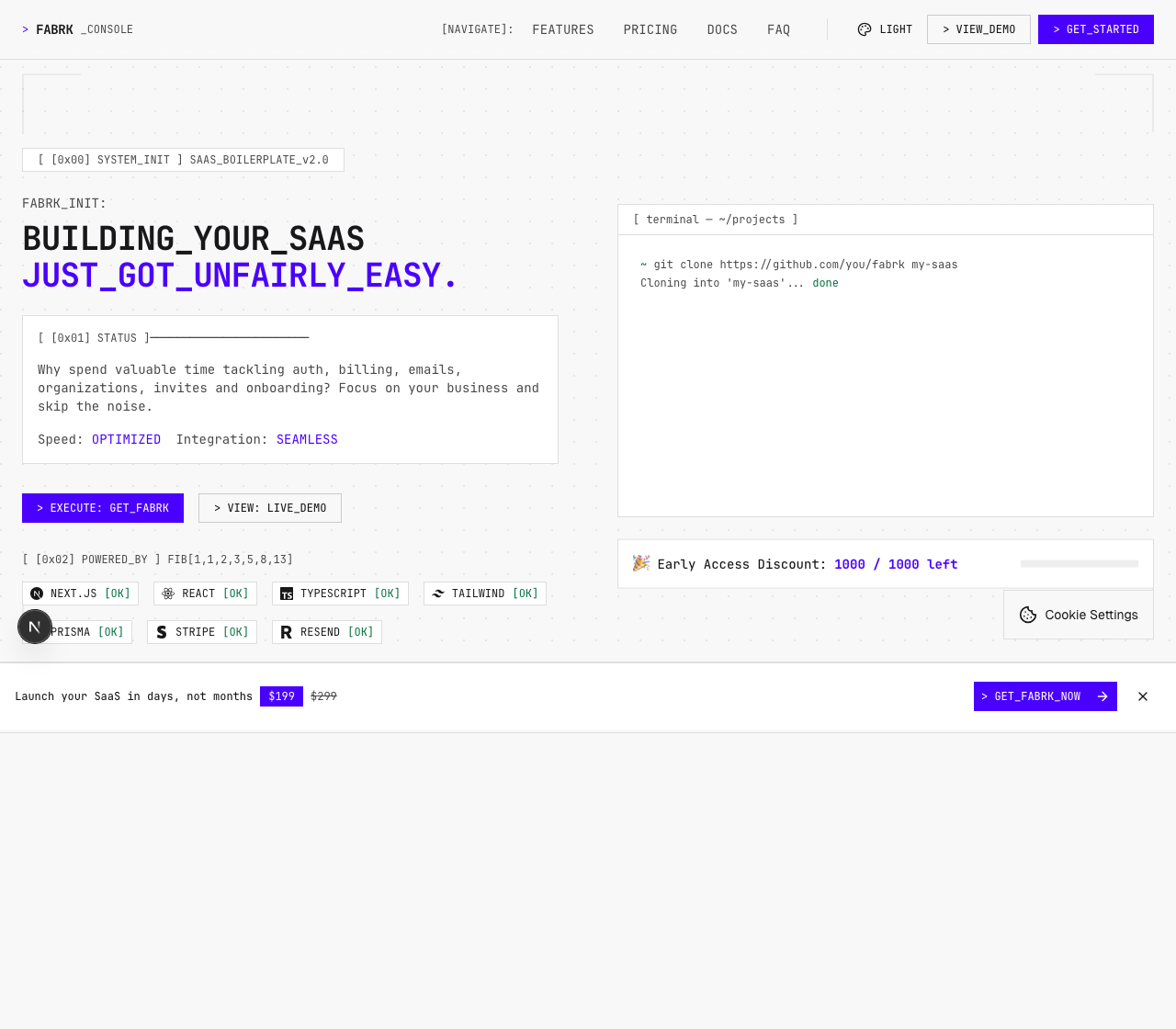
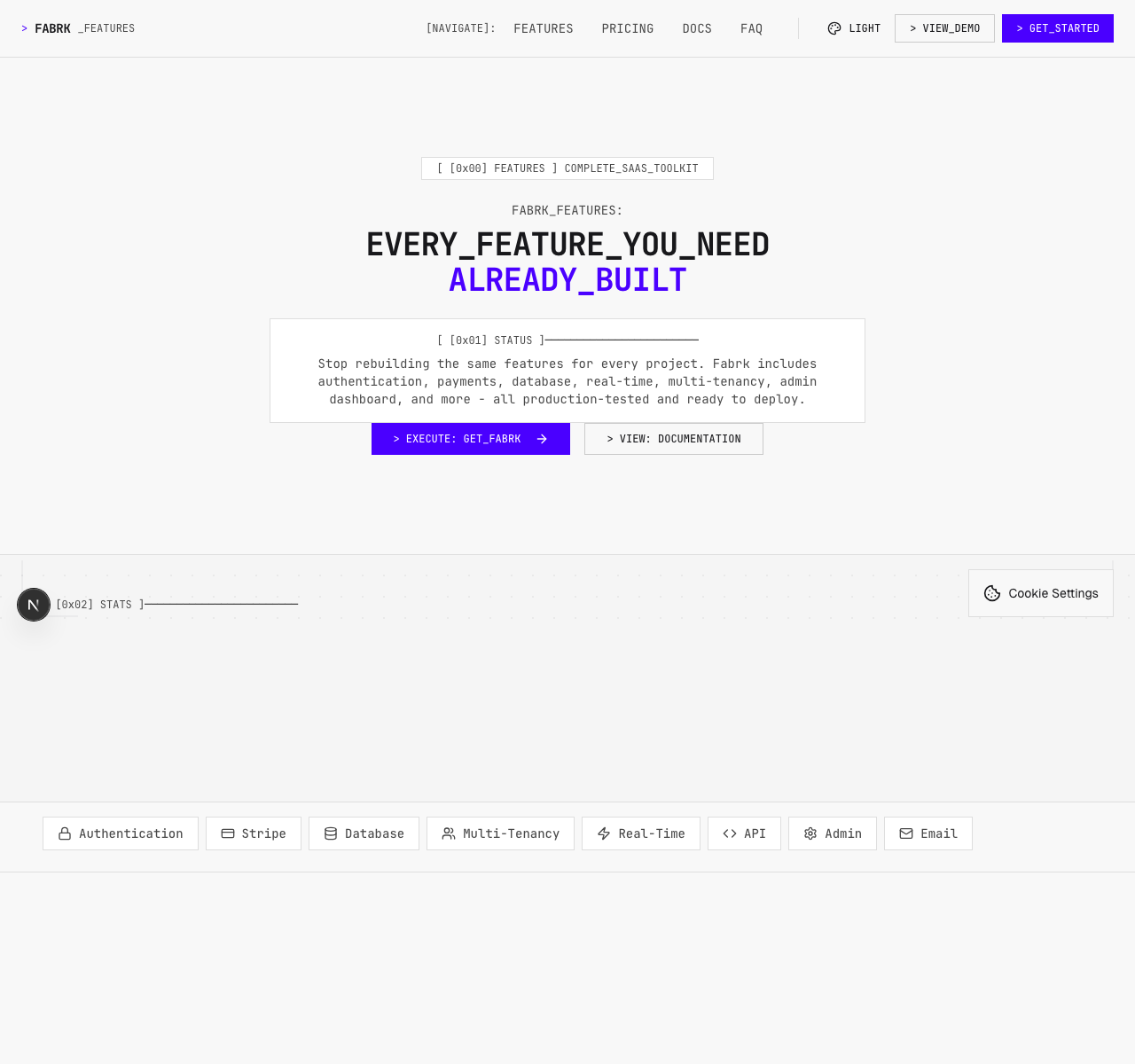
The framework documentation covers packages and runtime behavior. fabrk.dev is the separate commercial product the package system grew out of. I keep them separate because the starter, the open packages, and this portfolio case do not share one evidence record.
Published packages are not the same as a validated product.
The next study is straightforward. Give an external developer and a coding agent the same setup, dashboard, provider, and failure-recovery tasks. Record time, wrong turns, code drift, and whether the package boundary helps or only moves the complexity. Until I run that work, I make no adoption, retention, or external usability claim.
Replace copied infrastructure with inspectable boundaries.
FABRK is a set of smaller contracts. They show what a project imports, who owns each capability, how the interface behaves across states, and which evidence is still missing.
Thirteen packages are published. The repository records 3,221 tests on 7 March 2026, but the full suite was not rerun for this case. Node and worker are the observed build targets. No external adoption or usability evidence is claimed.